
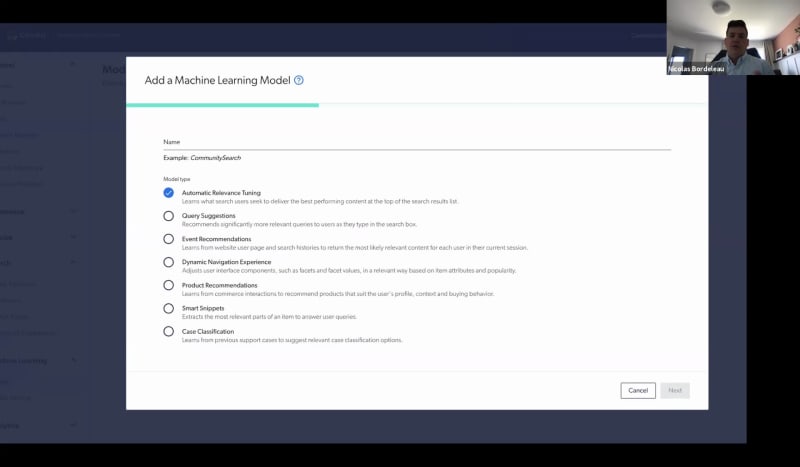
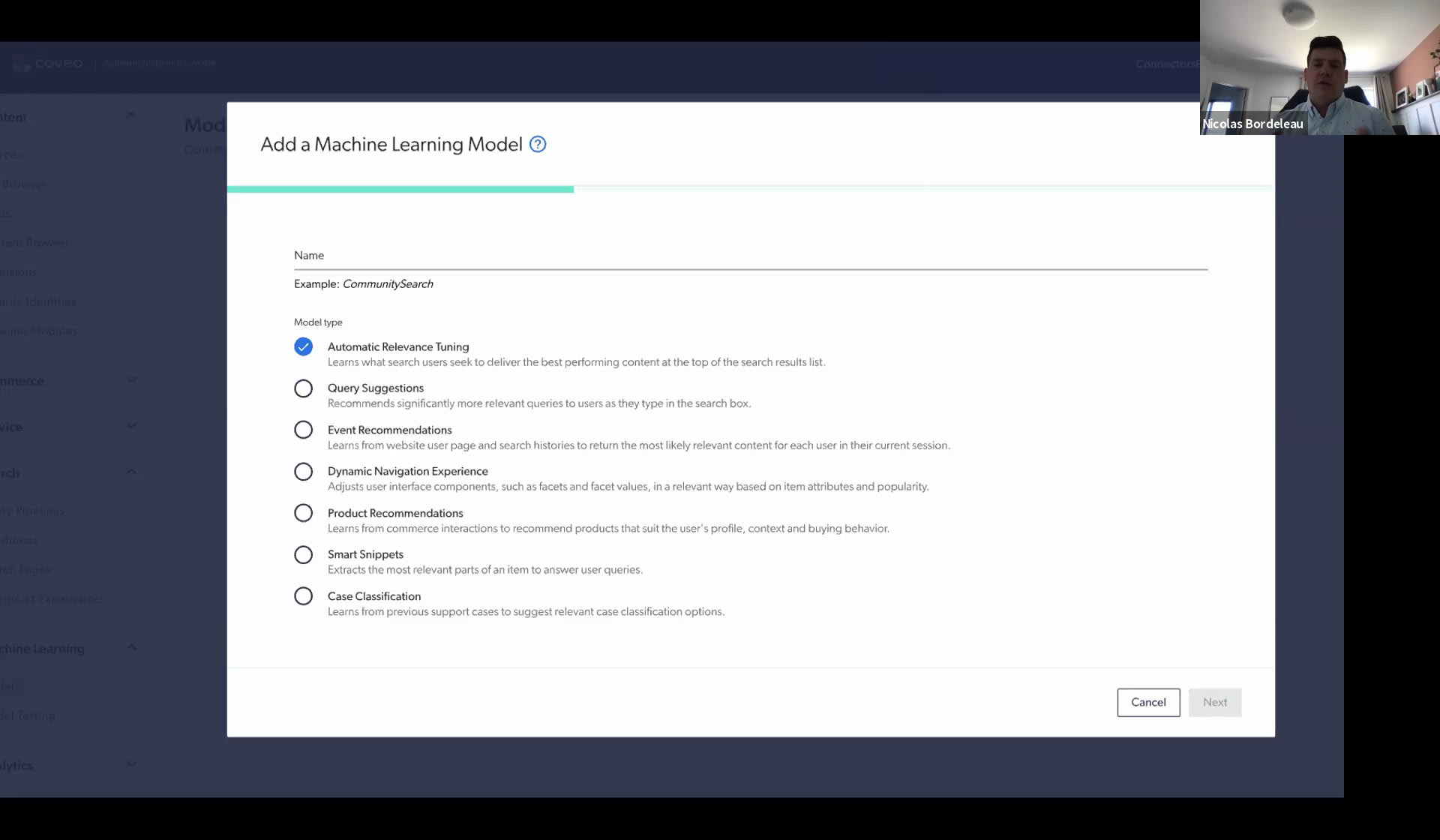
Hello, everyone. Welcome to Caveo. My name is Sarah Samnani, product marketing manager here at Coveo, and I'm also joined by Nick Bordolo, our VP of products here at Coveo. Today, we will be talking about a simple fix for your, big search problems. Before I jump into the agenda, I'd love for you, if you're comfortable, to share the name of your existing search solution that you're using. Do let me know through chat. This will help us really understand what your needs are, what are the platforms that you're using. And when we're discussing through the different pieces of our agenda, we can help customize it and personalize it for you. So while everyone's typing, let me go through the agenda. The first thing that we'll talk about in this, session would be we'll be starting with how the Coveo solution is different. We'll talk about our key differentiators of our platform, then talk about indexing your content. Indexing is very important, and there are different ways that you can index on Coveo. We have twenty eight plus out of box connectors that we'll just talk about the different uses of the content indexing as well as we'll be going into how do you build your search UI. Again, in Coveo, we want to give you the flexibility and options, so we have headless libraries, atomic framework. So Nick will be talking a little bit more about that. And just like any other good search, you want to amplify your search. You want to personalize it for your audience. So we'll talk about our out of box rules, our machine learning capabilities, and then, obviously, we need to know our analytics, and we need to understand how our search is performing, so we'll go through our dashboards. After that, I will be walking you through a live demo of our Coveo trial and show you how you can set up your Coveo prototype search page in ten minutes. And after that, we'll jump into q and a. Right now, everyone's muted. So if you have any questions while we're going through the different topics, please do add it in the chat, and we will be mentioning it, and having that conversation at the end. Also, heads up. This session is being recorded, so we will be sending you the recording as well for you to watch it again, shortly Awesome. So let me take a look at the chat. We have some interesting, you know, responses. There's Adobe search and promote. There is Solr. There's Elastic. We have our own customer using Caveo as well. So welcome. And, yeah, Nick, all over to you. We have some Solar, Elastic, and Adobe customers, today. Awesome. Thank you. Yeah. So, so as Eyir said, this webinar is gonna be about, how to how to differentiate Coveo with with other solutions. Let's start by digging right right into the topic. So this is this section is about giving you an overview about, about what is Coveo. So key differentiator, Coveo is a SaaS platform. In the world of search, there is multiple players. Some of them are closer to the past. We are clearly a SaaS solution. We take care of everything. You send us your content. We return new search results or recommendation. We take care of scaling everything. On the on on the part of the infrastructure, we manage it. You just use it. Our infrastructure is also scalable and able to support multiple use cases. A lot of our customer will start will start a simple use case. We'll start with website search or ecommerce. As time grow, they like the solution and they wanna go further. Was able to manage multiple use cases at the same time, going from commerce to support to website to Internet search all in one simple solution. Give us your content. We'll give us the right, the the right results as people access it without having to manage multiple instances. Connectivity and secure and security is also a big differentiation. We'll talk in detail about these, later on, but that's a big differentiator. And, also, the the AI part of Coveo is is baked in the platform. We have team working on the index on the on getting the content in, getting the content out. There's a large, large, large team who's also responsible of building AI, understanding that data, understanding the user behavior to make sure that we're always getting back the most relevant results. What we wanna give get get get to our customer is relevance out of out of the platform. So AI is is is a is a key part of our platform. Just to, level set a little bit for everyone, on the webinar, just I I'll go deeper into deeper topics later on, but I wanna level set everyone to explain what is Coveo at a high level. So I've talked about multiple use cases before. You see them at the top, website, ecommerce service, workplace. You can also integrate Coveo in in your own use case. Those are the one we we we, we have more documentation and more catering for. So first thing is to get the content out of your system, get into the index to be able to provide search results into those endpoints. After that, where it get where that where it gets already different is that Coveo is able to get the signal from the users using the information in those different system. We pass everything. We create user profile. We store this information, and then we this is where AI is able to close the loop. We we know what you're doing. We know all people enter are interacting with the with the content, with the results, and everything, and this is where we can start to personalize and bring back recommendation to users. Recommendation are content in the context of when you're doing something, you get proactive recommendation from Coveo. Because of that that whole loop, we're able to go with that. We're able to go that far. So that that's a high level, ten thousand feetful review of of what Coveo is, and I'll dig into into some section of those two to give you more details. One part that I wanna cover is, is indexing content. So how do you get content out of a system and putting it into Coveo, and what are the tools that are available for you to to to work on that on that front? First, to get content out, you have to connect systems with Cognio. There is really three option to connect content. You can go with out of the box connector. You can use our generic connectors or go and build your own custom one. The the easiest way to to get started is is to use another box connector. So if you wanna use one of those system, there's a there's a few more. It's a sample. If you wanna use one of those system, you just, you just basically give us the starting address, give us a few configuration, and then we're able to pull the content from those system really fast. Are we able to get the content, get the security if content is changed, if security change, if whatever change in those system, we're monitoring, we're taking care of everything, and the content is gonna be synced. Same thing for security on a COVID website. Really simple. If you if you wanna go at the opposite side, if you wanna go with a custom crawler, if you need to build something to index something we don't have, there's few endpoint there to to help you build it. As everyone, we have a push API. You can push content to it. We have a generate pref API, which is a a a bit a bit better than the push in a sense that you just have to connect two API together. The API is a seventy one index with the Covio API. You basically just write the recipe in Covio, and a lot of those recipe exist actually in our in our source control, open source libraries that people can see how people are were able to connect that system with Coveo, connecting Slack with Coveo, connecting this with Coveo. There's there's a lot of recipes out there to help you. And in the middle, we have the generic ones. That's basically a a a middle ground. So if your content has a web, web interface, if there's a site map available, if it's in file, if it's in a database, basically, something generic. If you wanna get the content out, you can use those connector. There's a bit more work, meaning that you have to map the fields. We don't know how the content is coming out of your website if you decided how to structure it. There's a bit of mapping, a bit of mapping in our security side as well, but it's just configuration to get the content out. And then same thing, we're gonna be monitoring the content to make sure that it's always up to date and fresh into Coveo. So connectivity is one thing. Another differentiation with Coveo is the indexing pipeline. With other systems, you mostly get just the just the end part here. You get an index. So you push content into the index, and then you can query the index to get content out. With Komeo, you get much more. So we talked about those crawler here. Those crawler lives in the connected system. If the system you wanna connect to is actually on premises, we have a crawler module that you can that you can deploy on premises that is able to connect to your on premise system. And then this one is gonna talk with the crawler module at Coveo, making it way easier to configure security. Opening ports and stuff like that is is much more simpler, And that module is the one responsible of connecting with the crawler without talking directly with your system from the cloud, which is not not a good practice. After that, there's the generic API. We talked about this one earlier. On the converter side, that's also a differentiation with Coveo. On Coveo, we're not just taking what you're giving us and putting it into the index. There's a lot of transformation that get can happen and that will happen for default. If you're sending us a PDF document, Word document, Excel, main type of document, we know how to extract information from those. We'll generate HTML version for them to make sure that they can be they can be, resituated to the end user at in the end. And we also offer you may a few options to to connect to the third party system if you're indexing a website, but you wanna transform and you wanna extract text from images or stuff like that. You have the option to to use your own custom code to con to connect with conversion APIs to be able to do, more advanced stuff. So that's the indexing pipeline. It's also, yeah. Building your search UI. So one more time, multiple options Barca available for you. I'll I'll cover those different options and also the different phases that that are that are required to to build a search interface. So search UI options options, the the the the raw one, the APIs. If you wanna talk with Coveo at the API level, if you wanna integrate Coveo into your own iPhone application or into your own services and you wanna be able to precisely talk with the APIs and you wanna control everything, there's a set of API. The learning curve is a bit steeper because you need to you need to talk with multiple APIs. You need to know how to synchronize them, how to send the events to UA. In the middle, we have the helper libraries. This is basically where most of our customer that wanna have find control are migrating. They're all pretty much migrating to the headless libraries. The headless library is actually a library that connect to multiple APIs for you. So it's extracting the complexity of all those APIs. If you're asking for search results for a keyword, it's gonna talk with the search API. If you're asking for recommendation, it'll know to talk with the recommendation API. Every time you're doing something, it's gonna talk with the UA API to report those action and make sure that we're collecting the data. So this, this library is actually quite useful for people who wanna have find control over the the end result, the look and feel, but simplify the way to talk with the API. And at the other end of the spectrum component framework, we currently have two JS search UI, which is, probably six, seven, eight years old, and the Atomyc one, which has been released a few a few weeks ago, actually. Those are two framework, search components. So a search box, result list, facets. All the component that you need to build an interface are built for you. Behavior are are hard coded. They know how to talk with the with the headless or the right APIs. They know how to report. So with those, it's really the fastest way to get, to get to build a search interface. We see that, customers who are, let's say, building a website search, building Internet search, building, self-service libraries for their user are typically going toward the component framework. And people who are doing ecommerce search and and the likes are typically going toward the Atlas library. They wanna have fine control over the over the end results, so they go toward the Atlas. But you have all those options to integrate Coveo in in different, in different scenarios. All of those options can be used to build different things. It goes from search to listing to recommendation. Search is search is obvious. So you purchase a search a search engine to be able to do search. So, it's a search box, a list of results. As you type some keywords, you get some results back. Lots of our customers start by doing this. It's a good thing. With that in in in in place, we're able to collect information about what your users are doing. When they search for that keyword, that result is is the most interesting one for that part of the population and stuff like that. After that, another thing we're seeing people are doing is actually doing listing, driving their listing pages with Coveo. So listing is similar to search, but instead of having a a a, an explicit keyword, it's something implicit. So the if this page is about hammer drills, so I'm gonna list out all the hammer drills. Much easier than to have to maintain those manually. You just ask Coveo, hey. Hey, Coveo. Give me all the hammer drills, and then they're rendered in that list. And then the beauty of Coveo is that there's AI. You'll see later on, but the list won't be die won't be static. It'll be dynamic based on who's viewing the page, based on what based on what's trending these days, and it it it basically get get dynamic. Recommendation, recommendation. Since we're tracking your users, we know what they do. So, a good way to to illustrate that is if users coming to your site, view page a, b, c, they all end up, and, getting out of the site with with a with a piece of content b. So as you're navigating to a, b, we're gonna recommend you, the piece of content b and probably c as well. So, instead of just having proactive recommendation, we can go and and sorry. Instead of having a reactive recommendation, we can go and proactively provide content to your users through recommendation. So you get content in. You you get content out to your user. Now you wanna find tool, find control, and amplify your search how things behave. So I'll cover the Coveo relevant system, how manual rules work, how why they use machine learning, and how how Coveo ML work actually. The the relevancy work in Coveo is a is a basically a system of points. Everything is run at query time. It's not like like other search system where you have to basically encode the relevance as you index content. Coveo relevancy system is a separate system that lives and that is applied at query time, and it's it's also personalized. There's three big buckets that are contributing to ranking documents. If there's the index algorithm, there's artificial intelligence, and there's manual rules. The index algorithm is is just like any other index. So based on term frequency, based on term being found on document, there's gonna be a first filtering done at that stage, and documents are are returned. They they're then ranked by term frequency, content freshness, field priority, and everything can be fine tuned with simple dials. After that, second phase is there's actually gonna be AI, returning some additional results that might have been filter filtered out by by, by the index, but that are still relevant to user. Maybe there's no keyword match, but there's actually data that prove that this document is relevant. So more document are being returned, more ranking being done based on frequency of document being clicked versus displayed, that fifty two user profile, and and all that magic happens there. And then there's magic, manual rules. If you wanna override what is done by the index or if you wanna hard code some behaviors from the index, you can always do them with, with manual rules. We we recommend that you stick to not too much manual rules. Try to use in the index and artificial intelligence, and when you wanna or when you wanna hard code or or or influence what's happening, go and go and add some some manual rules. What I've shown you is basically a query pipeline. And what you have here in the in at the bottom is an example of the query pipeline into Coveo. Since we're managing multiple use cases for our larger customer, we need to have multiple query pipelines. So you're not just setting up one recipe for relevance. So you can actually set multiple recipe for relevance. You can see it here. There is search search term configuration, results ranking rules, machine learning, and advances the dial that that change how the index is is behaving. All of that can be configured and make one recipe for one use case, and you can have different recipe for specific location. You decide how to configure it. Those those create pipeline can also be can also be AB tested. Some of our customer, wants to have lots of manual rules. We tell them don't do too much so you can do an AB test, an AB test where you have the index plus machine learning. And then on the other side, you have the the the same configuration now with some manual rules, and then you'll be able to compare what's the what's the effect of those manuals. Are are my am I improving search results, or am I going against the against the will of my users? Yeah. So query pipeline is a is a nice way to regroup together a kind of a recipe for for relevance. In that recipe for relevance, there is a pretty important part which is machine learning. Machine learning, as I said before, as we've you will see that at the beginning is really what is closing the loop, making the system dynamic versus a static one. If your your content is changing, so you're indexing documents, website, you're indexing live content. So, obviously, these contents are gonna get deleted. Content are gonna be appearing new content. So you want the you want the the relevance to be able to automatically tune based on new content or changing content. Same thing for user. You're gonna get new employees, new user, new new customers. Same thing for events. There's gonna be something out there that change the behavior of your users. Since the system is is closing the loop, whatever happened out there, the system is gonna be able to react. And if you wanna add some manual rules at the end, you can do them. But the machine learning is is extremely important in making the system maintainable and always relevant even if you don't do any manual rules. There's, there's a few categories of models. I'll I'll I'll show them in more details, but we have models around ranking, recommendation, content discovery, and also personalization. If I, if I look at this is how, machine learning work in the Coville platform. When you wanna create a model, you don't need to our code a an algorithm or anything. You're just defining what model you wanna use and associate it with a with a query pipeline. If I go over these relatively quickly, the first one, automatic relevance tuning is basically a model that was gonna be influencing what results are shown to users based on previous behaviors of previous users and personalization and stuff like that. Query suggestion, as you type in a in a key in a in a search box, you have, query suggestion. Those are based, yes, on what people have been typing before, but what lead to lead to good results, people finding content and being success successful in their search session. And so yeah. So this model is is there to help people get relevant recommendation based on who they are and what they're doing. Event recommendation, we've covered this earlier. It's a model that is able to look at, not only search interaction, but all the interaction page use on a on a property and and be able to recommend content based on the session that you're doing that might or might not include any any search events. Dynamic navigation experience is, is a nice one. If you have a variety of content, you're gonna have multiple attributes on those on those piece of content. A a nice way to understand what this one is doing is think about an ecommerce shop that have a wide variety of product. There's gonna be multiple attribute. If you're searching for a four k monitor, I don't want us to show you the the the the hard drive side size and stuff like that in the facets. You wanna have facets that are related to monitors and stuff like that. Actually, you wanna have the monitor facet preselected by default and the resolution preselected to four k. So that's that model is gonna be able to preselect some facets, preselect some some, some values in there and reorder the facets based on what you're doing and based on what others have been doing before as well. Product recommendation is specialization of the recommendation model, but this time for ecommerce. Different recommendation depending on the phase you're at. If you're building a cart, if you're shopping, you're gonna get different recommendation than than if you're at the stage where you are purchasing. If I'm looking for TVs, having similar TVs makes sense as I'm shopping. But as I'm checking out, showing me more TVs is just confusing, but showing me HDMI HDMI cable that work with this one, power Barca, and stuff like that. So recommendation model is is is actually quite good to recommend product, but also knowledgeable about the the phase where you are in your shopping. Smart snippet. This one, to understand it, is think about Google. You go to Google, you ask a question. Nowadays, you get you get the snippet of, snippet of answers telling you, so I wanna reset my router or I wanna do this. Who has built that thing? You ask question, and then you get the answer right away in the result list. You don't need to click. It's not a result. It's it's it's the information right away there. So that model is able to look at your content, understand what you have, and and and be able to provide answers to users coming, asking for precise question without having to navigate to to other pages after that. Case classification, this one is specifically for for service use cases. This one is helping, user better define their problem. So you come to a to a support site. You start looking around. You're not finding what you want because you're defining your problem in a sentence in a search box. You go and you wanna create a case. You start typing a case. You start typing a description, a title. Start heading a few a few things here and there. The model is gonna be able to let you know, hey. You are you talking about a a case around that topic or that topic? If you were to add me the product name or whatever information is is missing, then we can provide you more documentation to help you self serve. And if in the end, you're still you still need to send a support ticket to the to that company, then the support ticket is is gonna be much more, staffed. And the staff on the on your side is gonna be able to answer the those ticket much, much faster. Yeah. So you pick a model. I spend a lot of time on that page, but you just pick a model and then and then you define, how frequently that model should be built, how long of data, what's the data per year you should you should train that model on. Next step is optional is optional. Sorry. You basically define, what is a what is a successful search session. If you're if you're doing an ecommerce, somebody who's purchasing on your site, if you wanna learn if you wanna learn just from those behaviors, this is where you say, this is what define a a session where somebody purchased. Learn only on that or or learn basically on on on something bigger. If you don't if you don't specify anything there, we're gonna look at basic search session. If somebody's clicking on something, if they're exceeding with with the amount of times, stuff like that. We're still gonna be trying to learn on the best data. But if you provide, if you provide the outcome you wanna have, it's gonna be much more precise. Next section. So you get the content. You build the UI. You activate, you activate some ML. You activate some custom rules, and then you wanna know how things are performing. To be able to, to do that, we're obviously collecting data. I told you by that by default, our our our framework and and, and libraries are collecting data. They're collecting searches, click, document being clicked, but also document being rendered, not being clicked. That's quite important. All the page views in your system can also be logged in there, and there's also lots of, LOB specific events like add to cart, transaction closed, case case open, case closed. All of those are are are are sent to Coveo that we can we can report on. They can also be extended with, your custom event if you wanna report on those custom event or if you have custom attribute that you wanna be able to report or learn from. You can add this information to whatever we're sending. You can also simply use Google Tag Manager to to leverage what you've built to tag with other system and send that to Coveo. So that's collection of the data, and then you want you probably want also to export this data. Coveo is gonna be collecting a lot of information on one property or multiple property, but there's a lot of system out there. If If you wanna use COVID with b, with BI, you can send do simple, CSV export or you can leverage Snowflake. This is our, our data repository for for all UA event, and then you can you can, basically go there to explore the data. You can connect it with other system to do BI with, with other larger larger data repository or simply do an ETL to export the data somewhere else. So that's collection and data export, but you also wanna view this data. That's a that's a classic search report. So it's focused on on search metrics. So how many search a day, how many clicks, how many did it click through, how many content gap. Everything in there is dynamic. So if you click on any of those those things in there and there, you're gonna be refining and and drilling down into those report. You can build your own report. You can edit those report. Everything is wizzy wagging drag and drop. So we provide you the tool to understand how search is performing, and that's the same data that the ML is using to to to to perform this the the automation. So that's more generic, I would say, more search related report. We also have report that are more specific to use cases. I use the the commerce one here, commerce. So there's different metrics that are important for commerce people. They wanna know about revenues, about conversion rate, about what are the trending products and stuff like that. They don't talk about documents, talk about product. So we have specific set of reports, for commerce, for service that are actually built, to be interesting, not by the by the tech person who are managing search, but by the, I would say, the commercial people who are managing the the solution on the other end. Yep. And as we said at the beginning of the session, we wanna show you how simple it is in the platform. I've shown you a few screenshots here and there, but, say, here, it's gonna go through, indexing some content and building a a quick demo from, from the current role on the website. You're on mute, Sahir. Alright. Well, you know, it's been yours, but we still struggle with the whole. Anyways, thanks so much, Nick. So for today, when I'm walking you through building a search page prototype, I will be using our trial. This trial is available to anyone who signs up for thirty days, and you get full access to our platform. As soon as you enter the trial, you get to watch a quick video if you would like. This really gives you and summarizes the entire experience of Coveo within a minute. There are a couple of tiles that really help you with, understanding the different components and the elements that come with Coveo as well. For you, there's also a get started section, which essentially tells you three steps that you can do, which will be the basic that you can do with Coveo. So let's jump into the first thing that you need to do is indexing your content. Like Nick mentioned before, the content itself is, you there are a bunch of different ways that you can do out of box content, connections. For this example, I will be using our web connector. And what I'm gonna do is maybe add in blog dot caveo dot com, name the source. So I would say just blog caveo and start indexing. Now depending on your Internet today, my Internet's acting a little slower. It'll take a little while, maybe a couple of seconds to send the request to the platform. And as soon as, the platform receives the request, you'll see that it's starting to build. Now for this example, since it can take a couple of minutes based on your site, sometimes it can take five minutes if your site is really large, but on an average, we see about three to four minutes for a site to be indexed. I have an example that I've already indexed the website and kept it ready for this example. One thing you will notice is our platform, really can check whether or not you have a site map and index through a site map. That really helps, expediting the indexing really quickly. So let me go to my other organization where I've, already indexed, our Coveo blog. And as you can see here oh, alright. Now I need to go into creating my sort search page. There are a bunch of different ways, as Nick mentioned before, to create your search page using our platform. For this example, since I just wanna do a prototype, I'm gonna hit on build search. I'm gonna name it, say, Sahar test page. Maybe give it a title so that my, my HTML title element will have it. So I'll just say test page. Look at a bunch of different facets that I would like to have this search page included in. We have a bunch of default facets that you can use. And for this example, let's say I want to see the year of my blogs and potentially maybe the author, and that's it. I I think I that's all I want for my search page right now and add a page. Sending a request again and boom. Now you have a search page ready. You can see the facets are here for you to select, deselect, play around with, look at the author, and you can add a lot of different facets that come by default for this page. What you can also do is, potentially add some rules onto this page so that, you know, you can actually improve that experience of the search page prototype really quickly. Before I jump into that, let's let's say if I search for Louis Tattoo, what result comes up? Alright. So when I search Louis Tattoo, our CEO, he has written a bunch of different blogs. For this one, I see live with Louis Tattoo come up first. What I wanna do now is I think I wanna have another article that actually really pops up at the top of the thing. So I go back to my admin console and essentially go into query pipelines. Like Nick mentioned, you can have a bunch of different rules. For this one, what I'm gonna do is I'm going into our result ranking session and adding a rule, going I want a featured result. I want a specific article from Louis to come up on the top of the page. So I'll add a rule. I'll name it Louis rule. I will say if the query is Louis tattoo, I want to show, a specific article. So I go into the prototype that I've already created. You know what? Let me filter, Louie. I'll say, I want, the magic quadrant one to show up at the top of the list when someone searches. So I do add item. I can preview it here really quickly as well. So I'll do Louis tattoo, and you can see the magic quadrant already showing up. So it's as quick and simple as that. I'm just gonna add the rule now here, and then go back into my search page because I wanna see how it really looks on the test page itself. So another test. Boom. You see the magic cord and show up. So now if I wanted to share with my colleagues at Coveo, I can hit the share button, look at this link. I can provide access to people only from my organization or anyone who has the link, can view, copy the link, and all you have to do is send it over to your team members for them to play with this test page that you have built. And that's it. It's as simple as that. It it was within ten minutes that I was able to set up a test page with my content. And if I go back into my existing the first one where I had actually tried to index my, you know, site map before, I I can see in four minutes, it's already indexed over one hundred and eighty items on the test page. So it's as simple as that, as fast as that. We would love for you to go into our Coveo trial and give it a shot and tell us how you feel about this experience of building a search page prototype. Awesome. So, Nick, is there anything else you would like to add? Well, you know, mute. Well, no. I think you summarized it pretty well. I think that the next thing I should do with a with a trial is, is to is to activate machine learning and and do UA. But in its role, it's kinda hard to see those in action because you don't have a lot of traffic. So either you share with your colleagues and then they start poking around playing around. And after a few of your colleagues have been starting, you can start to see results in the reporting section. And then after that, if there's a bit more interaction, you can create a few models and then you're you'll maybe see some trends. If you share it widely with your colleagues, this is where you can really see a machine in action, picking up some trends and behaviors from your from your from this trial. And this is one of the reasons why we give you thirty day access as well. Right? So that you could restart building it up and seeing that machine learning model actually show results. Awesome. So, please send in your questions if you have any, and we'll be going through a couple of questions for the next few minutes. So, Nick, first question, are you guys doing anything to understand the intent of search? Example, if I search for a hammer drill, and I'm interested in buying it at example, like product detail page versus if I had a blog article on my page as well. So I guess the person is asking whether or not, you can tell if someone's interested in buying or just reading about a certain product. Yep. So, it's not my area of expertise, but I know we so we're building user profiles. We we look at what you're doing. We build that profile for you. If you're logged in, we can even add a name on that profile. If you're logged out, then it's just a a bunch of interaction group by what you've done. And then based on what you've done, we we have, so we have machine learning that is also applied to to those profiles. We're able to look at what you've done compared to others and have the propensity to buy as a dimension on that profile. So we have dimension that are static, what you've done, what's your name, location, and stuff like that. We have other that are dynamic. Propensity to buy is one. So is that guy about to buy, or is he just browsing? And then the the the search engine is gonna behave differently, recommending content differently, but also behaving in search result differently based on what's the propensity to buy for that precise user. Okay. And another question that we have on the chat is, what are some performance implications of having multiple query pipelines? Is there something like too much? Well, no. Because query pipelines are gonna be actually taking a sec a segment of all the query that are coming into the index. The other thing that might be too much, but that has never been too much for any of our customer is the amount of query per second that how many q q p s. I see the question. It's like it's talking about q p s. Typically, we see people think that they'll have much more QPS than they have. A a good example is Dell. I won't give any QPS number for Dell, but Dell is is is actually quite a big a big consumer. Salesforce is also running our our our search across all of their different endpoint, and, we're able to support and test. They do something like three hundred, four hundred QPS being query per second, which is extremely heavy, and and the platform never never never slow down. On our side, we are automatically scaling the infrastructure. The more QPS who are coming in, the better the infrastructure become, the more machine are are are actually staffed to serve to serve these. And there's a huge portion of the infrastructure, which is multitenant that is able to take a large volume of of queries. And then the the only portion that is dedicated to you is the index, and this one is also automatically scaling. This part is dedicated because security is extremely important for us. We manage public but also private content. So that that's why that part is, is, is a single tenant, actually. K. And the other question that we have is, for generic and custom crawlers, what happens to document level security? Okay. So for, for custom crawlers, when you push document, you can also push security. So if you're sending me a document, you're gonna send me the content, the binary, the meta fields, and there's also another section on that on that, on that piece that you're sending to Coveo, which is basically ACLs. You're gonna tell me that document is actually allowed for this this this user, this this this that group. And you can also connect, through custom crawler, to your own security system. So documents come with security, and the security system is also sent to Coveo. There's a copy. There's a sync just like for document. There's a sync in the security system. So that that can be done custom. And when you go generic, those generic systems are able to index at the item level, a database. Let's say in the database, if there's security information, you can push security information onto it. And for website, for website, there's way to to to, to segment different part of the website saying that this part is public, this part is private. And you can also add some some, some custom conversion to add security to your items. So, there's a bit more work to be done, but, obviously, if you're coding something, there's a bit more work to be done versus using the versus the default one. Okay. And then the other question that we have is, are you able to predict misspellings, or is this something that requires human input to add variations of a word? Misspelling is gonna be picked up by, by a few machine learning models. The first one that's gonna pick on it is actually the query suggestion. So as you're misspelling something, it's actually quite impressive. Would be nice to do a demo. I've seen crazy things people typing and then if whatever you're typing as long as it sounds like what the word sound on the other side, it's gonna propose you the right spelling as a query suggestion. So it's not too insulting. You can just pick the right the first query suggestion, and then you know how to out of spell that thing, and then it goes it goes through. If ever the query is the user is typing too fast, then the other models are able to obviously, there won't be a a huge match in the the index is gonna be able to do some some some correction of the query, and the machine learning model are also are also gonna be able to to to realize that there's a misspelling in that keyword. So the index is is pretty much, is pretty much, able to recuperate from from misspelling. Awesome. And then one last question that we have is, can you elaborate on what sharing a page will do? Will it make my content public, and will they have access to it? Okay. Not sharing a search page is actually just sharing the the search page object. By default, search page are a configuration of Coveo. If you created it, if you're an admin of Coveo, you're gonna be able to see the the search page. When you're sharing it, you're basically giving access to the the page itself, to your to to some other users. And when those user come in, if the content is public, they're gonna be able to search across everything. If the content is private, it's secured. If they have access to see that content to the to the user that they use to come to that page, then they'll see that content. So security is still applied on the at the item level. The page having access to the search interface itself is what is shared with with what you showed in the demo, actually. K. Yeah. And, as we mentioned, it's our document level security is quite active as well, so no one just has access to the organization. Okay. Awesome. If there are any other questions, we'll give maybe a minute for someone to type. Is there anything else you'd like to add, Nick? There would be I mean, there's so much that Coveo does, and as a platform, we're quite extensive, and we cover a bunch of different use cases. So Yeah. With the high level overview, if if if anybody has more question, feel free to ask. My email is fairly easy to to find. It's actually n boudello at kubo dot com. Feel free to send questions. If you wanna have dedicated demos, let you let us know. We'll be able to show you in deeper those feature that we saw on on superficially today. Awesome. Alright. So I don't think we have any other questions. Thank you everyone for joining us today. Again, like Nick mentioned, if you have any questions, always feel free to send us an email, and enjoy your summer. Thank you so much again. Great.
Your Simple Fix to Big Search Problems
Tired of continuously monitoring and iterating on your search solution?
Complex systems are hard to maintain. Not being able to source information on demand is a huge pain. That's why more and more companies are migrating to an AI solution that’s accessible on any device, any channel, at any time.
Coveo is the SaaS-based unified search solution that’s scalable to support the entire enterprise journey, with the ability to handle multiple use cases.
All in one simple solution. You give us the content, we give you the results.
Coveo AI powers the real-time content decisions into every experience your ecommerce serves.
AI can loop search results and recommendations, faster, and more relevant, with better organization that connects to every touchpoint. Watch to learn how Coveo’s comprehensive AI search platform can provide ultra-relevant search experiences without the need to reinvent. See a live tutorial of Coveo's platform trial and see how you can easily set up your test prototype. In this session you will:- Gain technical insight into Coveo’s AI search platform.
- Learn about Coveo's robust integration capabilities to help build search your way.
- See a live tutorial of the platform trial to create a search prototype within minutes.
The only thing with this kind of relevance is that you get too much done all at once.


Make every experience relevant with Coveo
