Hello, everyone, and welcome to today's webinar. Fifth left in the wild, a forward thinking customer support strategy in twenty twenty four, brought to you by technology and services industry association and sponsored by Cadeo. My name is Vanessa Luzaro, and I'll be your moderator for today. Before we get started, I'd like to go over a few housekeeping items. Today's webinar will be recorded. A link to the recording of today's presentation will be sent to you within twenty four hours via email. Audio will be delivered via streaming. All attendees will be in a listen only mode, and your webinar controls including volume are found in the toolbar at the bottom of the webinar player. We encourage your comments and questions. If you think of a question for the presenters at any point, please submit through the ask a question box on the top left corner of the webinar player, and we will be opening it up for a revolt Q and A at the end of today's session. Lastly, feel free to enlarge the slides to full screen at any time by selecting one of the full screen button options which are located in the top right corner of the site player. I would now like to introduce our presenters today, John Ragsdale. Distinguished Vice President Technology ecosystem for TSIA. Bonnie Chase, Senior Director, Service Product Marketing, for today. And Alex Livlon, senior program manager, support continuous improvement, Coveo. As with all of our TSAA webinars, we do have a lot of exciting content to cover in the next forty five minutes. Let's jump right in and get started. John, over to you. Well, thank you Vanessa. Hello, everyone, and welcome to today's webinar. We're talking about Shift Left, which is a strategy that we first heard, a couple of years ago from very large inter Cries firms, and it's now starting to filter down into more of the industry and small and medium sized businesses. So we wanted to focus on this topic today. If you're not familiar with Shift Love, it's really a win win strategy. It's not only reducing the support costs, but it's also improving the customer experience. So it's all about empowering users, both customers and tech support agents, to prevent issues and quickly resolve issues and eliminate, escalations, and hopefully eliminate cases entirely. So a little more detail on what a shift left strategy means for support. Some of the key aspects are improving self-service enabling self-service for customers to more easily resolve their own issues and also resolve a wider range of choose. Knowledge sharing and empowerment. This is really about getting the information to the people that need it. Again, frontline agents, as well as customers, proactive prevention, trying to detect issues, resolve issues as quickly as possible, or even before the customer is impacted. And there are a number of benefits to this strategy, improving user satisfaction, again, both for customers. It's it's lower in effort, increasing customer satisfaction, and improving agent satisfaction. Definitely, some cost reduction, efficiency improvements, but, I think that it's important to understand in this annual recurring revenue or ARR world. Lowering cost is not necessarily the driver of a ShiftLab strategy. This is some data from the TSA I have been mark that shows there is an incredibly strong correlation between the support experience and renewal rates. So improving the customer experience, such as lowering customer effort, faster resolution times, higher support satisfaction, absolutely correlate to long term revenue and long term value up for customers. So, yes, you're hopefully going to be more efficient. You're gonna cut some support costs. But this is not about cost center. This is about support becoming a revenue center and showing the the contribution that the support experience is having on long term revenue. So this is, another data point that that proves this we see that customer effort scores, which is asking a customer, you know, how much work did you have to put in to resolve this problem? We see that the highest customer effort scores tend to also have the highest net promoter scores. So net promoter becomes an important issue when we're looking at disability, viability of the account. It factors into account health scores for the customer success organization and lowering customer effort is absolutely going to drive up the responsibility of your customers. The final point I wanted to make after a two year hiatus we completed the support, tech stack surveys. We did tech stack surveys for all of our research practices at the end of last year. And I think it's really interesting even though we continue to hear, economic issues. We know budgets are really tight. There is really high plan spending by support organizations on a number of technologies that can contribute to this shift left strategy. This is the percentage of companies that said they had, budget earmarked to invest in new or additional capabilities across all of these categories including communities, which is a great way for for peer to peer support and self-service. AI based support technologies, which includes GenAI capabilities, something that our guest speakers today know a lot about, intelligent enterprise search. This is the analytics based searching that companies like Coveo are well known for. Sixty one percent are investing in knowledge management programs over half, investing in more proactive support, intelligent diagnostics, and sixty five percent in self-service portal. So know, a lot of companies were really focused on lower level, level zero, level one issues for self-service, and we're seeing that these self-service capabilities are really starting to get stronger and stronger to enable a much larger range of issues to be resolved by the customers themselves. So enough for me, I would like to turn things over to our first guest speaker. Bonnie Chase is senior director service product marketing for Coveo. Why you've done so many webinars with us. Thanks, John. And thanks for sharing those great insights and what you're seeing when it comes to, you know, the the themes and what are investing in in twenty twenty four and the benefits of Shift Left. I thought this image would be a good way to represent how we've been thinking about Shift Left and really kind of talk about where we can continue to make improvements in this strategy So I think typically at least for myself, you know, I come from a self-service background where I was really focused on developing that self-service experience. And for me, self-service, was really that key part of shifting left. It's one of those first ways you can shift left, moving people away that assist assisted service experience, so that they can, you know, solve more issues on their own. We know that assist service, interactions are more expensive. They are one to one interactions. And if it's a known issue, it can lead to more frustration for both the customer and the agent. And these self-service interactions can bring valuable insights about customer behavior and pain points But we also need to remember that the assisted service interactions also bring valuable insight that not only inform us about our customers, but also about ways to improve the product. I always like to say that the product team knows how customers are supposed to use the product, but the support team knows how customers actually use the product. And so when we think about it, you know, self-service is a an important piece, but it is a piece of the puzzle. So in thinking about the, the support team and their their role in this shift left strategy, you know, we know that assisted support isn't going away. So whether it's complexity, new issues, or just customer preference, keeping a human in the loop will continue to be important. So it's about evaluating the levers that we have, to shift left and how we can best use You know, as John shared, you can reduce your known issues through self-service. You can resolve new issues on first contact by having your agents empowered with the right knowledge. And you can resolve issues at its source through a continuous improvement feedback loop with both the product and the education teams, which, Alex will talk more about today. Now before we jump into that, you know, I wanna talk a little bit about these benefits of collaborating with products and education. On the product side, know, having that regular cadence ensures that your support agents are current on product changes and updates and have a better understanding of the product. Things are always changing. So it's important for them to be, tight knit with the product team. You get more collaborative problem solving through case warming and cross training opportunities, And again, one of the big things which Alex will showcase is that feedback loop into the product team for those product improvements. On the education side, it's really about empowerment. It's empowering the agents with the right level of knowledge, enabling them to adapt to those changing products and business strategies. And then, of course, educating the customers beyond onboarding for continued success and fewer usage issues. So if the support team can identify where customers are struggling, the education team can then create the necessary materials to enable those customers so they don't struggle with the product. And then the product team can fix the problems that occur regularly. Now while this can happen ad hoc, To be most effective, you need a continuous improvement plant process in place. So with that, I'll pass it over to Alex to talk through how we do it in the wild at Coveo. Alex. Thank you very much, Bonnie. So let's get started. Let's get into the details a little bit. So, yeah, the idea here is to make sure that we can, identify trends and, that we see in support because as you previously mentioned, we are the ones who see how the customers are using the product. So we wanna see what kind of trends we are, seeing in support and then collaborate, with product, engineering teams, as well as education in order to, get those fixed stream or at least, make sure that, our agents have the proper information, to resolve them faster. So this is, how we, the to create, our Coveo continuous improvement program. So as you can see here, there are different steps involved in that process and we're gonna start at the bottom left, where we're gonna start by gathering all the feedback, and data that, is needed in order to identify those, those areas of improvement. So the main one we're gonna use, yes, we have a feedback mechanism where our support Gents again, raise a flag at some point and say, hey, you know what? I'm seeing this kind of, problems more and more. Maybe we want to discuss project management about that. Yes, we, can get some of those, but mainly what we're going to use is, opportunity in big is that we've built internally, and dashboards that we've built in order to identify, as quickly as possible those different tech trends that we are, receiving as part of that gold mine that are, support tickets. The second step, that we see here listed as CI meetings is simply, where we're going to meet with leadership as well as, specific members of the team to determine, which battles were gonna want to tackle, for the quarter at hand. Then, we're gonna build some, sample of cases, and other data and perform the actual analysis So we call them, case trend analysis, CTA, because that's exactly what it is. So we try to identify trends, between, the different cases that we are receiving. So we can provide different recommendations, whether it be to the product team to the education team, to the documentation team, or even internally, sometimes we're going to, make some, processes adjustments, on our side in in order to better serve our customers. As John mentioned, happy customers, are gonna be the, it's gonna be the best key, of success a renewal in the end. So, even internally, we're gonna wanna make sure to keep those customers happy. Finally, We're gonna follow-up, try to, measure the impact, not always possible, but when, we can measure it, that's better, obviously. And finally rinse and repeat that process over and over again quarter after quarter. So we're gonna dig a little bit more into each of these, steps that we've seen in this graph. So, obviously, we're gonna start with data gathering. So the first thing you need to keep in mind is garbage in garbage out. If you all have good data to fuel your process, it's not gonna work. In the end, you're not gonna get the outcomes that you are looking for. And the best way to make sure you achieve, good data analysis is obviously to centralize the data, in a specific repository. So this is key to avoid the nightmare of having to pick manually the information you need from different system every time you want to conduct an analysis. Which is gonna take much longer than if you, you have all your data centralized in one place. On our side, we use our CRM to centralize this data, made things much easier, for this data analysis. So we're using Salesforce aside, in order to centralize this data. So some example of, types of data that we're gonna be using to our analysis. Well, obviously, the main one, the most important one, is gonna be the case fields. So we ask our support agents to fill in, specific set of fields every time, they investigate, and every time they close a case as well. We can see a few examples, on the bottom left of the screen. So we asked them to specify the scope, of the case itself. So what kind of use case was it for, product function, the and even the specific techno, which are mainly product areas, we call them techno on our side, where, that a case what was the case about, basically, in which area of the product? We also have a specific section when they close the case, that they have to fill in every time, including some information that we are especially gonna use during those, important, continuous improvement analysis. So, for example, you can see here was documentation already available when the case was created. Was that documentation internal or external and visible to the customer, and they just didn't search for it on there, or they didn't find it? And, we're gonna see the reason for creating a case. So why did the customer create a case initially? In this case, it was because they had a question about the product. I was working or if something was available, and they recommended the action. So what was the outcome of the case? In this case, was mainly a limitation of the product or an enhancement, something new that they needed to, to ask for, on our site to build because it's not already available. And finally, here we can see that the complexity rating on the right hand side. So was the case hard to investigate? Was it haveridge? Obviously, this is called subjective complex rating. That's there's a good reason for that. You're thinking you hire versus somebody who was more experienced, with a product, and they're not gonna rake necessarily the same way. At least it gives us a good idea of where we could put our effort potentially, going forward. And the main complexity contributor is the factor, the main factor, that did, that that did put that complexity into investigating. That case. So that's pretty much it for, the case fields. We'll look at a bunch of their other different cases. Obviously, case fields, obviously, but, those are a few of the main ones we're gonna be looking at. Survey results can also be, good data to look at. On our side, we don't get that many, survey results. So we're in the, we we follow industry averages, but since we're not a case, volume shop, we get maybe a hundred survey results per quarter. In our sudden, that's not necessarily enough in order to get good good insights into, this type of analysis. But if you have more, case volume and survey volumes to look at, that might be very good. We also look at third party, data. For example, on the right hand side here, you can see some data, examples of data we could get from, a vendor called frame AI. So they help us have, more precise idea of, the cost of a case, the cost for Coveo, of handling a support case. They also, are pretty good at, predicted CSAT. So CSAT score Each and every case, depending on the interactions we add with the customer, will give us a scripted CSAP. We can use that as part of our asses as well. So centralized data, good data. You need to have this information. You need data start your an any good analysis. Next step. Second step, our, of our process was to picking our pedals. So picking the right, what are we gonna tackle this quarter? What are we gonna look at? So we did build automation and dashboards in order to help us pinpoint where to put our efforts. So the first step, we went through basically, to build those dashboards and these automation was to identify which data points we had available that would be relevant for each Yeah. So remember, in the process, we mentioned that there were a few different main areas that we were tackling. So product, training, process compliance, knowledge, tools. So for each of those areas, there are different data points that are gonna relevant to look at. After, we did identify, though, those relevant data points, we did build the dashboard, one for each of the main areas, to quickly identify which customer, which product feature we should focus on. After that, we all so, improve those dashboards, with more, information, more sub graphs, in order to slam size and dice, the data a little bit more, to, pre identify if I may say the kind of trends that were all looked that. That's gonna help us a lot immensely to determine which filter, which filters we're gonna apply in Salesforce in order to gather a simple, a good sample of cases in which there are more chances we're gonna find trends of issues, to analyze. So, for example, here, for a specific tick node that we've identified as being high risk, if the data point, main complex contributor, is unfamiliar with, the techno in most of the cases for that techno. Then it means that, we might likely have a training opportunity at hand. So we're gonna be able to know and tell the agent performing analysis that they should definitely, take a good, look at that part. Next here, next step was obviously performing the analysis itself. So that's the core of, all this. So what I would say here well, obviously, we all love, Google Sheet and Excel. Right? So let's keep it simple. You don't have to build a new tool for that. You could, if you wish, but let's keep it simple on our side. We use Google Sheet, in order to just put, a list of, cases, a sample that's around five, twenty, twenty five cases, that we've identified, with filters from our dashboards, analysis initially. And we're having a, a support agent, theater, support specialist, or an expert, looking into those cases. Why are we gonna use a, an expert rather than a new hire? Well, that's just, to make sure that, to, to, to make sure that we're going a little bit faster in the analysis, because, obviously, if you get somebody, who knows a little bit more about the product, that's gonna make things much faster to internalize all this. What we're gonna ask them to do is to focus, on high level trends. So cut the paste is going to be the key here. When we give them the sheet, they're just gonna have the list of cases on the left hand side. So what we ask them to do is to fill in the second column here and, try to identify, base focusing on the product improvements, what is the high level trend that they're seeing? So here, the colors of the lines are gonna based on the number of times you're using copy paste. So, that's how we're going to determine what the trends are, what we see more often. So if we take a look at, the ones in red, those are the ones that were, seen more, in the list of cases that we've provided. So in red, you can see, that it appears It's the exact same thing in each of the red line, same issue in the case. So the error messages were not precise enough. So it a product statement, where issue statement, high level enough in order to, to copy paste or other, cases, but still precise to you, say what it has to say. So error message is not precise enough. And for each of those colored lines, which represent, potential trends in the cases we're analyzing, we're going to ask the agent to provide some recommendations. So you can see on the recommendation column, that there are three recommendations. One for the green ones, one for the yellow cases, and one for the red cases, which happen, much more often here five times in this specific example. So indicating the name of the segment impacted, by the error is kind of a good recommendation if we have errors that are too high level and not specific enough, obviously. Then the agent is going to mention which team this recommendation is for. Usually, for product analysis, it's gonna be for documentation team or, our engineering team, so R and D. We have automatically, some automation here that's gonna indicate the amount of money, potential savings per quarter if, this type of case was resolved by engineering So here, we're looking at seven thousand eight hundred dollars of potential savings per quarter if we were able to prevent those cases in the first place. And what we're gonna do from there, pretty simple, we're gonna take all those, recommendations, and we're gonna, create Jira tickets we're gonna send tickets, key issues to, the engineering team, and we're going to, mention obviously this amount, of dollars that are potential savings just to make sure they pretty much understand what's in it for the company, if they would resolve, that issue. And would it be either by using the recommendation we provide or simply by finding another good way to resolve the issue at hand. So that is, pretty much it for the analysis part itself. So if we come back to this process, this main process, and I'm gonna end up simply by reading that shift left in the form of continuous improvement analysis through the support team and cross functional collaboration with other teams can high can help identify trends and prevent cases in the first place, because that's what we want, having a product that is intuitive, having a product that easy to use, obviously. And if we do need assisted support in the end, because we're gonna need it for those, more complex cases, at least make sure that, we prepare our support team, properly through training, in order make sure that they're going to be able to investigate those, cases and resolve them as quickly as possible, because, you know, fast first, risk response time is really good, but what customers are really looking for are good resolution times. They want to fix their issue, and that's it. So that being said, that was quite a ride. So back to the studio, Bonnie. It's all yours. Yeah. So thank you, Alex. And and like you said, it's really, you know, again, it's about analyzing the past to prevent the future issues from arising which, you know, when you think about a shift left strategy, the ultimate goal is preventing the issue before it even occurs. So when you think about that shift left strategy. Remember that your support team is a key piece of that puzzle. So while we do want to encourage self-service. It doesn't mean deprioritizing, your support team. Now as we wrap, I do want to conclude with a quick slide about Coveo. So we are an AI platform that helps deliver on the shift left strategy through superior digital experiences. Both self-service and assisted, and we do that through semantic search AI recommendations, generative answering, and unified personalization. So thank you so much for for having us today. We really appreciate your time, and I think we're ready for some questions. Wonderful. Thanks so much, Bonnie, Alex, and John. And since we do have time left and honestly quite a bit of questions. We're gonna jump right in. But just know, please go ahead and submit your questions in the ask a question box on the top left corner of the webinar player. And even if we don't have time to get to them today, we will make sure to follow-up with you. So with that, Our first question here comes from Sasha, and they ask, how did you get Executive buy in for a program like this? That's a very good question. Thank you very much for it. I would say when we initially started, four, five years ago, this program, we didn't have the chance to, have frame AI, as part of the game. So we didn't have, precise estimates of, the costs of our cases. So what we needed to do is, obviously, to rebuild an ROI, so return, an investment sheet, in order to quickly show, what would be the act will, benefits from such, a program. So we initially had to go with our guts feeling and, a little bit of talking with the team to have a good sense of how much a case could cost. Then we could, start from there. And, it was really easy after that, to, to show that, preventing cases from happening or at least making sure that, our team was more efficient into solving them faster, was costing much less than the efforts was was actually costing much much less than actually having to, to to go through these cases and help the customers without knowing completely what, it was about. So that's a good ROI is always a good, a good way to start to, explain to the executives why it's a good idea to, to go ahead with the program. Okay. Our next question here comes from Alan, and they ask, how does a case trend analysis differ from a root cause analysis? Yeah. That's good. Good. Remember that, we call them case trend analysis, CTAs on our side. So, CTA case trend analysis is exactly what I've, what I've shown to you, today. So it's just performing an analysis, trying to find the trends between, the cases that we are receiving and try to see if there is any recommendation that could be put in place to resolve that, in the product. So we prevent those cases from abening from the get go. An RCA, Aruka's analysis is rather a process followed by the engineering team, to communicate, the reason the cause behind a major outage, that might have, impacted specific customers. So it's really focused on, the cause around an outage for is the CTA that we've seen today that is more, about preventing cases in the first place. Okay. Our next question here comes from Hannah, and they say, how do you choose the cases to analyze? Yeah. That's good. That's good. Well, we're gonna go back to, the, the, the dashboards that we have created initially, so we did build dashboards, in order to make sure that, we were able to quickly identify, which type of data points, were showing higher, in the list. That does help us to identify, the kind of filters we can put in place and our report in Salesforce, when we get that list of cases, that sample of cases. So, for example, if we see in our dashboards, let's say we're doing a training, kind of analysis for the training area, and we see in our dashboards that, the complexity the main one is the fact that the agents are unfamiliar with a specific techno, then definitely, we are going to put that as a filter in our, list of cases to make sure that we pull the cases, the the cases where they, they were flagged as unfamiliarity with the, the technology involved. So that's, we use our dashboards, basically, to find the right data points to put the right filters in, in place to get that sampled. Okay. Our next question comes from Bonnie or I'm sorry. It's for Bonnie from Jenny. And they said you mentioned generative answering through fail. I saw in your release notes that you went generative answering for self-service. Do you offer this for agent experience as well? That's a great question. Yeah, we actually we just went GA, with our generative answering solution for self-service experiences. And this is exciting because we will be GA with our agent experience within the next couple of months. So, you know, as everyone's quickly working to build solutions that can help, you know, customers deliver, you know, our B2B customers deliver on these generative experiences. You know, we wanna make sure that, you know, we're offering that as well because you know, as we've said, it's all about having that connected journey, that personalized journey, and that intelligent journey, and that includes generative answering. So you'll be hearing about it a little bit more over the next couple of months, through LinkedIn and social and things like that, and then we'll have our big announcement. But, yes, generative answering for the agent experience will be coming out very shortly. Can't wait to use it ourselves, actually. Okay. They just keep coming. So I'm gonna keep asking the questions. We have one here from Ray. And they say, do you have any tips for working with the product team? Yeah. I can't take that one. Actually, keep the ROI in mind once again. So the what's in it for or what's in it at least, at the company, level. So if you want to make sure that they're gonna look and review, your recommendations, one of the best ways we found ourselves, on our side is really to use the information, the cost of the case information coming from, frame AI. So, obviously, if you put if the topic of your Jira ticket that, implementing a specific recommendation with, would, would make savings out of, I don't know, eight thousand dollars a quarter at then definitely that's gonna draw their attention to it, in the first place. Also, I, I, I, I, I like always, tell the agents doing the analysis to keep in mind what would the customer think about So this is something we've also heard about, in the last TSA conference, right, back in Las Vegas, and that's something that needs to come into mind each every time we do something, especially in the service, from service perspective. So what would the customer think about the recommendation that you're about to send the product team, is definitely something that will help you word it in a certain way that is gonna look more, more important that's gonna show how important it is for the customers. And, the fact that, obviously, happy customer will renew is something you can bring to the table, as well depending on the type of recommendation you're doing. So, Also, another tip I could give is to make sure that you're using and you you try to attach yourself to the standard process you have with your engineering So, for example, on our side, when we got product issues, from a case that we need to send to get a fix from, R and D, we will locate Jira ticket with them. So the process that we are using to send them our recommendation is also to create a Jira ticket because this is the system, that they're using every day, day in day out. So, this is where their eyes are. This is where we want to put our recommendations for them to, look at. And, obviously, having a deal with the, program managers, that they're gonna review those those tickets, within a certain time frame, cannot hurt. Yeah, and I'll just add to that, you know, think it's a great tip to to kind of fold into their existing process like you mentioned with Jira. But just keeping in mind that the product team is cost prioritizing. They get feedback all the time from everyone in the company who who tells them how to make the product better They hear it from customers. They hear it from internal teams. So, you know, I think taking the approach that Alex shared, which is, you know, focusing on, you know, what's in it for them, what the benefit is for the customer, folding it into their process so that makes it as easy as possible for everyone. Think you'll get the most out of it. Okay. We now have a question here from Patricia. And she says, John, do you see a lot of organizations doing a similar process with their support team? Well, we see a huge amount of interest, in doing it. I think everybody's got a road map, something like seven percent of our members are investigating, more AI and GenAI for support. Those actually live and getting value is a is a much smaller group, the early adopters. But I think, you know, by mid twenty twenty four, you're going to see the majority of companies either piloting something or getting ready to launch something. Bonnie, is that kind of fit in with what you're seeing on the maturity curve? Yeah. Yeah. Absolutely. That's what I'm seeing. And, you know, a lot of it has to do with Like, we have to think beyond technology. Right? So a lot of people are focused on, you know, how can especially the last year, let me just take a step back. With GenAI coming on the market and everyone wanting to get their hands on it, I feel like people have been very technology focused. But there's a lot of process and change enablement that needs to happen internally in order to be able to kick something like this off the ground. So you know, I think starting small, building the ROI, doing something to show that, you know, there is value in this is a good way to kick it off as Alex shared. And then the the data will speak for itself once you start running that program. But again, kicking it off is probably the the biggest, like, the hardest part And I say that not actually doing the process, so I'm sure Alex is like, oh, there's much harder pieces to this. Okay. Our next question is from Sal, and they say, what was the name of that tool that you used in the third party data? Yeah. That is frame AI. So, we have other partnership with, other vendors, but, frame AI, does offer a little bit more flexibility. They offer, APIs, and their main focus is help ping, customers determine the, the, the, the, the, the, the cost of service on their end. So how does it cost real, really for you to receive a support case, investigate it. If it's depending on the activities you do with the case and to engineering, definitely that's gonna cost more in the end to support that specific case. If there's internal swarming involved, also going to, some cost to it. If there's an escalation, you can add some cost to it. So they take all these signals, to consider operation, and, they can come up with specific, cost of a case. So we use them to say, okay, we're digging down, into a specific techno, so a specific product area. And if we look in frame AI and their interface, we can see that for that specific techno, the average cost of a case is that amount of money. So it's a hundred six, sixty dollars and from there, we can use it in our analysis. And if we find, let's say, five cases in our sample, that is related to a specific high level issue, then we can take that amount of money, multiply it, using a specific formula to say, okay, That's just from a sample. Now on a real quarter, how much estimated savings could we get if resolve that issue. So the name, you're searching for, was FramAI, and that they're doing a pretty good job of, giving us, much more precise estimate of the cost, of a case here. Okay. Our next question comes from Tara, and they say, can you share any challenges and or lessons learned for someone who is thinking about doing a similar program prem? Yeah. Sure. What's come to mind, really quickly, is building the dashboards. That was quite a challenge. It took a lot of time and efforts from different people within the team just identifying those irrelevant data points, that you can use in order to, to, to build your dashboards to start with. It's taking a long time to identify those data points you have to go through all the case fields you have, all the different systems that you're using, all the different integrations you have, However, down the line, it is crucial information that you need in order to, get a good sample of cases and perform proper analysis in the end. So that's a big challenge to identify those data points initially, but that saves you, an enormous amount of time in the end, once you have built those dashboards right identify, those smaller samples that you can use in which you're gonna find trends. Making sure to understand that, you need more senior agents, in order to complete those analysis. Initially, we gave those to, new hires they added a little bit more time on their ends, doing just training, not necessarily taking cases. But in the end, we figured out definitely we need people that, have their hands into the product day in day out in order to conduct those, analysis much faster. And finally, measuring the impacts. Yes, sometimes that's hard, because, yeah, the time it takes to put something in place from a product standpoint, delivering it, then you take a look at your matrix and see your different KPIs and see, okay, are the improvements really related to what we've put in place, or is it related to other projects, other improvements that have been put in place, around the same time frame, the same three, four, six months. So sometimes it's just so hard to determine if it's really your specific movement that has, move the needle basically on that KPI, that I would say, at some point, you can let it go. So don't spend four months trying to understand if it's really your improvement that had a big impact and, move on. If you know you were doing the right thing, you add your, customer's best interest at, at hand, definitely it was a good decision to take in the end. Even if you cannot put an exact number, on the impact, that you had in the end. So that would be it. Okay. Thanks so much, Alex. I think I'm gonna go ahead and close this out for today. Thank you. All so much for such a robust q and a. That's not something our audience always get. So we really appreciate that. And don't worry audience members if you did not get your question answered here live because I know we still have quite a few questions. We will make sure to follow-up with you. And with that, a few more reminders before we sign off for today, there will be an exit survey at the end. If you could please take a few minutes and provide your feedback on the content and your experience by filling out that brief survey. I know that a link to the recorded version of today's webinar will be sent out within the next twenty four hours. I'd now like to take this time to thank our presenters, John Bonnie, and Alex for delivering an outstanding session. And thank you to everyone for taking the time out of your busy schedules. To join us for today's webinar shift left in the wild, a forward thinking customer support strategy in twenty twenty four. Brought to you by Technology and Services Industry Association and sponsored by Cadeo. We look forward to seeing you on our next TSIA webinar. Take care, everyone.
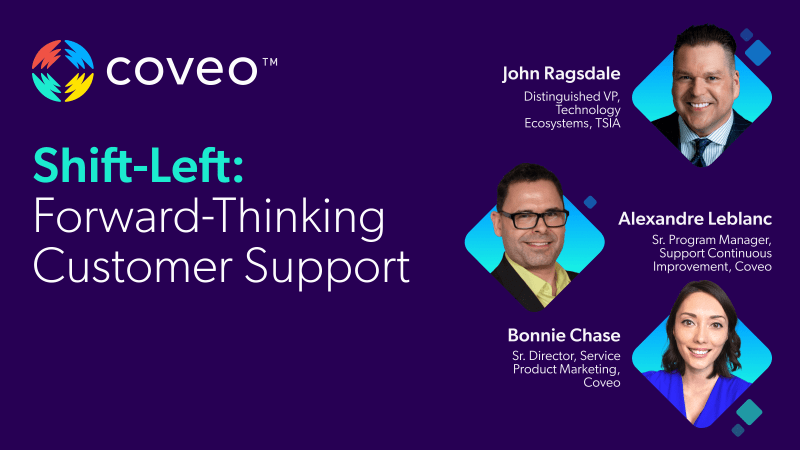
TSIA Shift-Left in the Wild: Advanced Customer Support
Shift-Left in the Wild: A Forward-Thinking Customer Support Strategy in 2024
The Shift-Left strategy is set to continue its upward trajectory as one of the key trends for Customer Support in 2024. This proactive approach involves the early identification and resolution of potential issues, enhancing customer satisfaction while simultaneously reducing the reliance on time-consuming and costly assisted service interactions. Empowering customers with self-service tools serves as an initial step in this strategy, but the true transformation unfolds when issues are resolved within the product, preemptively addressing customer concerns. By collaborating with product and education teams, Customer Support organizations position themselves as the catalyst for driving the Shift-Left strategy.
- Comprehensive insights into the benefits associated with implementing a Shift-Left strategy in Customer Support.
- Why this approach will continue to shape the customer support landscape in 2024.
- Practical methods for seamlessly integrating it into your support operations, with real examples in the wild.


Make every experience relevant with Coveo