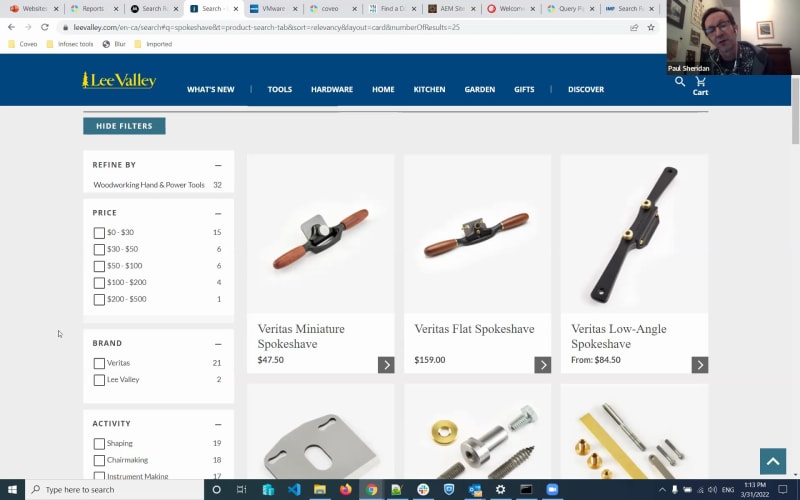
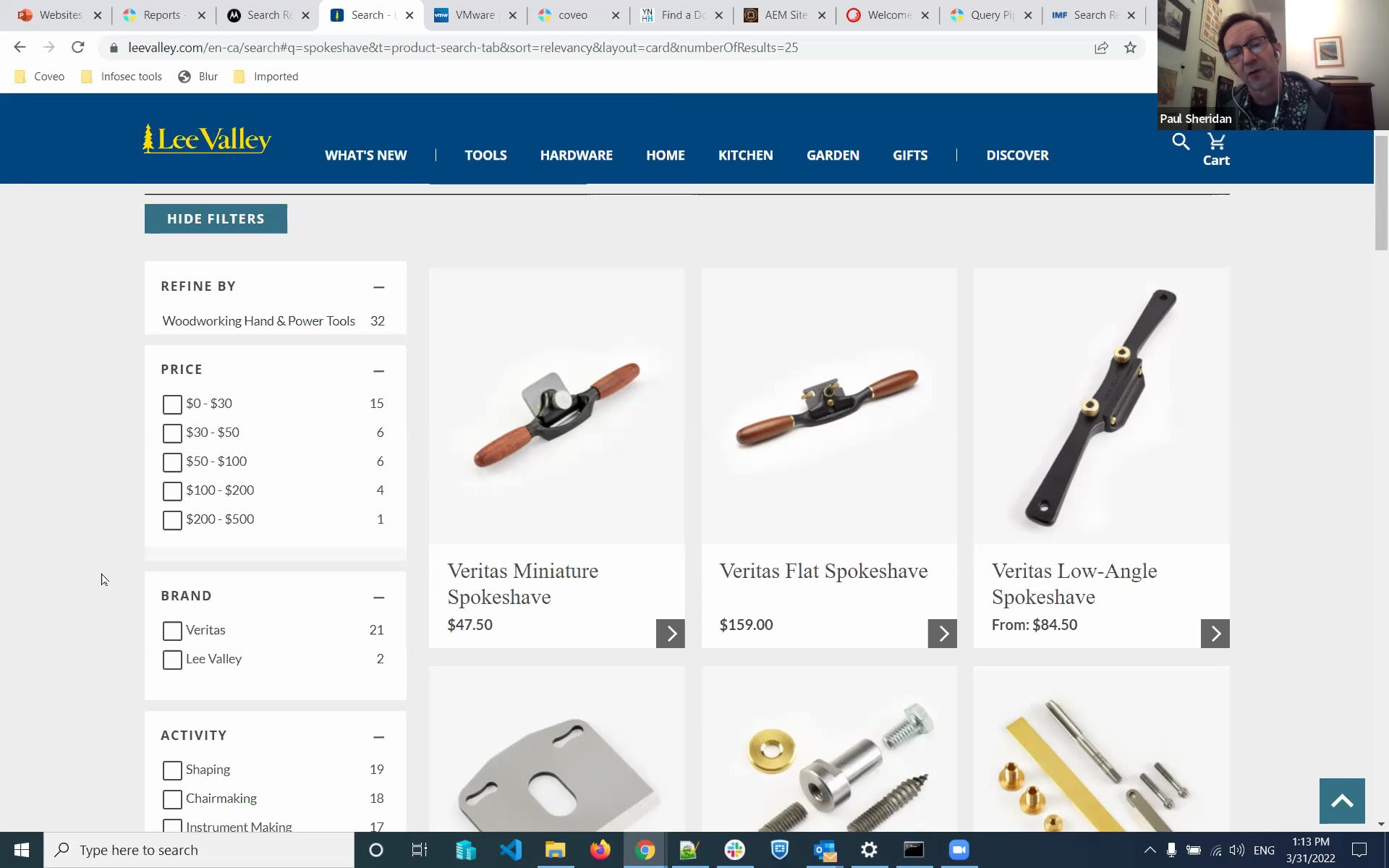
One. Hi, everyone. Welcome to our AI powered website search demo webinar. My name is Sarah Samnani, product marketing manager here at Coveo. I also have Paul Sheridan with me, our solution engineer at Coveo. We're very excited today to talk to you about how do you build great website search and how Coveo can help you build that. So let's just jump into, the agenda. But before I jump into the, like, the details, just a quick housekeeping items. Everyone's currently on mute. If you have any questions, please do put it on chat. We'll come back to it at the end of the presentation, and let's kick it off. So the agenda for today is the introduction. We'll talk about great site search and then go into some key capabilities, the product demo, and q and a. Alright. So, as a marketer, I have created a lot of content. You know your teams are working on building great content from YouTube videos to PDFs to product sheets, and you are expecting visitors that are coming onto your site to be able to find the content. Because what's the point of a content if it's not discover discoverable? But the reality is a lot of times, content is very hard to find and this is where search comes into play. We did a bit of research from the industry and found out that seventy three percent of your visitors will abandon your company's website the minute they have three unsatisfactory search experiences. What does that mean? When I say that, think about your own experience. If you went to a website and searched for a pen, didn't get the answer. Search again, maybe put red pen, didn't get the answer. Search again. At one point, you're like, oh, this company does not have what I need. So three times is when they'll give you a chance and the minute they can't find it, they will go into another company. And it is very competitive out there if you think about search and the offerings that are available right now. We also found out that forty three percent of your visitors are willing to pay more if they find what they're looking for in the first few clicks. That means the minute they have a great search experience, they they realize your you as a company really have something to offer to them. So they're willing to hear more. They're willing to convert more and willing to also pay you more. And this is where Coveo really comes in for you. Coveo's product not just serves one side of the search experience. It's a three sixty platform, a relevance cloud platform that is the intelligence behind every and any touch point that your visitor, your customer, or your employee has. It's from your websites where they land onto your site, look for things they need, potentially, if it's an ecommerce site, find products, recommendations, buy your product. If they've already bought something from you, how do they reach out to the customer service portal? How do they find resources to self serve themselves? And if they're your employees, how do they find stuff that's required to make sure that their job is done well? This is where Coveo and its search really comes into play. But how do you build such a great search? Right? What does a great site search experience look like? Paul, over to you. Thanks, Seher mentioned, you know, creating as Sahara mentioned, you know, creating content is super important, of course, creating great content, but the findability of that content is is absolutely important as well. As our CEO often likes to say, relevance wins. If you can if you can provide a relevant experience to your site visitors, and we're gonna focus very much on the website use case, for Coveo today. If you can provide relevant experience, relevant content to your users, it's a win win situation. It's a win for them, and it's a win for you as well. And after all, when you think about and and we'll talk about both search and what we would refer to as more proactive recommendations today. But in the world of search, the search box is where, your users or customers or employees, they they tell you what they're interested in. They they have this opportunity, this this place to, to ask questions or to simply look for individual words. That search box is where people tell you exactly what they need. So that essential basic findability of content, that's a great starting point. But what do you need to do once you get past, the simplest, side of things, the simple searchability of content? Well, I would I would tend to suggest that the first next thing you need to be able to do is to understand what are people asking you. What are they telling you in that in that search box? So reporting on the most common queries, the the the top documents that people are clicking on after they've done a particular kind of search. And, certainly, also, where is search not working well for you? Concepts of content gaps. People are searching for things and either not finding anything or not clicking on your top one, two, three results. They're having to go to the second page of results. And so so Hera described, I think, very well, the frustrations and the short attention span, I guess, that many of us have nowadays. You don't wanna have to go to the second page of results. You don't wanna have to, refine your search too too much to find what you're looking for. You want that experience to understand what it is you're looking for. So, that ability then to, to provide that most relevant content and to understand what are how are people, using your particular website. I would say after that level of understanding, being able to provide access to all of the information you're creating. Again, so Hera talked about, content in a variety of ways. This is one of our customers here at, Motorola Solutions who use Coveo on their website, which, combines a couple different sorts of things together. It's a it's a bit of a shopping website in some in some sense. There's there's their products here, radios and, cables and such here as well. But there's also information. There's documentation. There's manuals. There are videos about their products and could be indexing all of that information. So having that unified experience, that ability to to index, to make searchable, content across all of the different channels that you have is really important. Blogs here as well. All kinds of useful and interesting information. So pulling that all into one secure and searchable experience is super important. I would say once once you've looked at those kind of, kind of items, and a a neck an important next step here is an ability to start to help, the user to find things that are there, things that exist, content that exists as well. So this concept here, and it's a very common one nowadays, of this type ahead capability, which can be deployed in a variety of different ways with a variety of different platforms, helps a user to formulate a good quality search, one that is going to give them results. It's gonna give them results that have been useful to other people like them. So Coveo has this capability to learn from user behaviors, learn from what are people searched for, to learn from whether they got results, and to learn from whether they got results that led to a positive outcome. At the very least, I click on a document. So as an as an example here, I can very quickly search for tetra radios. You'll also see that even if I don't spell words correctly here, the type ahead query suggestion capability is able to still make these good quality suggestions, like, kind of learning from content and user behavior. I would say also, once you've got that sort of type ahead, that interactive kind of experience on your website, an ability to help the user to refine their query. So, yes, I'm looking for tetra radios. I've gotten three hundred and eighty results. How should I you know, perhaps I'm looking for a manual here. Well, as it turns out, the manual turns out very high in the result list anyway. But, abilities to say either narrow based on part of the website that you're looking for. I know I'm shopping for something versus I'm looking for a piece of documentation. But also to be able to use these sort of filters or or facets, people often refer to them as over here on the the left hand side, very common in in, many different kinds of, websites nowadays, and have those learn intelligently. And, again, once again, suggests what if what's the word I'm looking for here? Suggest, changes to the the the search criteria that are going to have, positive outcomes. I'm not gonna click on a filter here that shows me that the well, I'm not even gonna display a filter that shows zero possible results under that category. So I'll only see the the the suggestions of filtering, when there is in fact content to be found. So, yes, I am looking for something from the video library. I can automatically, select that and and filter and reduce the scope of my query here. And in addition to these sorts of tools, clues, capabilities that I think are are really important for any kind of website search, how do we ensure that the good content comes to the top of, comes to the top of the results? Now, in the case of, in the case of Motorola site, I'm just still using this as a bit of an example, they're making heavy use of Coveo's machine learning capabilities to automatically tune results and promote the content, that other users have found useful when they've done similar queries in the past or other similar users. And, in fact, if I search for something like the word support here, as you would probably expect, you're going to see towards the top of the list, information about how to contact Motorola's customer support. Interestingly, as I dig dug dug into the background and the, the the way in which this is implemented on their website, It's not in this case that there are any hard coded rules pointing to this result, although you certainly can do that with Coveo to find top results for particular queries as an example. In their case instead, no, they're just using Coveo's machine learning models to promote the the content that people are clicking on more frequently when they search for something along the lines of support. So this is allowing, if it's not too, cliche to phrase to use, the wisdom of the crowd to start to automatically promote that that best content. And being able to do this in an extremely scalable manner, machine learning takes, or this approach to machine learning takes a lot of the load off of the marketing team so they don't have to go and create a whole lot of rules and and personas and so on to necessarily get, very good, relevant content towards the top of the list. I've mentioned also that, yes, in some cases, you do want to actually create more of a rules based, approach to tuning of relevance. And, interestingly, we see some, some good examples of that in almost more of a commerce kind of, example where the people who are running the website, they want to have rules applied to, to promote content, to promote products that are, in fact, let's say, available in stores. As an example, I can go in here into Lee Valley, a prominent, do it yourself in hardware chain in in Canada, and I wanna be able to search for something along the lines of, let's say, a product called a spokeshave. What they've done on the back end is they've got rules here to promote, content that is in fact available, to be able to perhaps also sort your results in a variety of other ways. And, again, this will vary a little depending on the purpose, the use case for your website. But as you can imagine, in a, a context in which this is very much a commerce website, being able to sort by price, is something, very key as well as being able to sort by relevance. In their case, also, they they do have abilities to filter by price, to filter by brand, and choosing those sorts of filters and facets appropriately to your customer's needs is really important as well. Something from a design point of view that needs thought before your your site goes live, but it can also be tracked, through those same kind of reports that Coveo provides as well. What filters are people using more frequently? Perhaps they're not filtering based on this activity tag, let's say. Well, maybe there there would be a better filter to put in there, and these sort of reviews and reports allow you to make those design decisions as your, site, matures and and, and changes over time. Again, I'm I'm sort of walking through these, attributes of great site search, I think, in order of simplicity to perhaps more complex or more advanced, capabilities. So in addition to filtering and defining rules for, tuning, the relevance of results and leveraging machine learning, what we start to see as as websites mature then is a need to personalize, content as well. And we're seeing that a lot nowadays, of course, and I'm sure you are as well. It's a very common requirement to make these more proactive recommendations based on who who is on your website, whether they're logged in and you know something about them or not. An interesting example of that is, VMware, a prominent, well, virtualization platform, that provides a lot of different software and and services to to their customers globally. They use Coveo on a variety of parts of their website, including their knowledge base. And interestingly, I think they've done a really nice job on the design of this. It's very simple and yet very powerful. So in addition to having a nice prominent search box, and to showing me what have I searched for recently on this website, they're using cookies to destroy that information, they're also proactively recommending content for me based on what they know about me, which is actually not very much. They know I've come to this website, and I've searched for these sort of topics in the past. That's about it. I'm not actually logged in. But based on that, they can still make some recommendations. I'm not even typing anything into the search box at this point. But because I've been interested in their product called vRealize, they're starting to promote some content about vRealize here to to to me very proactively here. Of course, I still have the ability to, to to make, other kinds of searches here as well and to and to receive results. But this level of personalization as a as a first step perhaps towards a more proactive, website experience has been super successful for them and for their, I would say, extremely technical, audience on their website. I'm gonna show, one more example here of a another kind of website. This isn't actually a a real customer website. It's something that I built, using, the Coveo tools, Coveo relevance platform, and index our own documentation, blogs, YouTube channels, and and more. And I wanted to show off a couple of, features that are really kind of new in in the Coveo platform, but I think are pretty exciting and address an even more advanced perhaps need for, for relevance on a website. What I've done is I've, I need to log back in. Bear with me a second. I've gone in here and I've done a search for what might be a relatively obscure feature of the Kaleo platform around what we call ranking expressions. And, this is a a capability again on the the back end of Kaveo to really tailor in great detail, how relevance may be, may be calculated. So I've typed in this query. I've got I'm getting these nice suggestions that are around similar topics, filtering and querying expressions. But what you'll notice is I'm not just getting results back, you know, documents and videos and such. I'm actually getting a nice little snippet of a document that's particularly, focused on ranking expressions. And I didn't have to do much of anything special to make this happen. This is a relatively new capability of Coveo that we call smart snippets. And what that is is another kind of machine learning model, a deep learning machine learning model that we apply to content as it's being indexed, in order to, extract from that relatively well structured content, pieces of doc pieces of the documents that, contain, you know, a nice header or title or or some sort of, you know, some sort of tag related to what what the user might be searching for and a chunk of content after it that really tries to answer that question. All that sort of back end technical stuff to say that really from a user's experience on the site, what they're getting is something that's a bit like, the Google answer box, but, of course, it's related to the to your content, to your, user experiences here on the website. And something that I think is a very powerful, new feature of of the Coveo platform. There haven't been as many examples of that out there, on customer websites yet, so I thought I'd build a little, example here to to show to show to you as well. Of course, you probably have some very specific, challenges and needs on on your particular website. I think of typical challenges that we see around security. Some content perhaps shouldn't be available to non logged in users. There's, there's, needs for either location search or search by distance. I'm looking for the nearest automatic teller machine perhaps to me from my current location. There's, often a need for a capability for people search. We find many of our customers in the health care industry or law firms, as an example, often wanna be able to look up people. So Herod also mentioned the use cases of internal, workplace or Internet search. It's a very common requirement there. There's sometimes a need, especially in more marketing driven websites, to define those sort of rules that we were talking about for relevance, but to have them, boxed in for a particular period of time. I've got a promotion going on up until, the end of April, let's say, and I want to apply particular relevance rules and pro promote particular content just within that time period. So all of these kinds of auxiliary challenges, if you will, around relevance, around search, Certainly, of course, I'm as you can imagine, I mentioned them because they are things that Coveo can do and help you to do, on your website as well. We do understand that there are really quite different challenges and needs for different use cases around search, Whether we're talking about a commerce, related, search, whether we're talking about customer service, whether we're talking about, more informational publishing sort of websites, Coveo can help you with all of those. I We'd also like to say from a content point of view, Caveo has, particular integrations into a a couple of very, commonly used content management systems. Adobe experience manager is, an integration that we launched last year, and it's an ability Coveo provides an ability to both, index and reindex content directly from Adobe experience manager, including digital assets, including metadata, for those assets and and pages and such. That content is pushed to the Coveo cloud platform. I should forget mentioned earlier, but, Coveo is a a cloud based relevance platform. It also enables you to build your search, interface, in Coveo and have that hosted right in your, Adobe Experience Manager site. Similarly, for Sitecore, another very, very common content management system, Coveo provides both an indexing integration, again, so that as new content is published out of Sitecore or updated or deleted, those changes, that content, the metadata, the security information or permissions, all of that is pushed to the Coveo cloud platform to be indexed, to be made available, as well. So those are two platforms that we have a very tight integration with from an indexing point of view and a user interface point of view. But Cavea, of course, does support many, many other well, actually, almost any content management system you can think of, either by indexing via a site map that would be published for that website or via our API, indexing connectors as well. So there's many, many different ways in which we can connect to these kinds of applications. And, of course, for those other use cases outside of simple website search, we do have a wide variety of connectors for CRM systems, for, workplace, applications, SharePoint online, Confluence, Jira, Slack, and many, many others as well. But we're really trying to focus on the website use cases here today for the most part. I would say also, and I'm gonna, just wrap up in the next couple of minutes here, that, we we I haven't spent the time, so much today to talk about how we do all this, relevance tuning and such, on the Coveo platform. But this is where an administrator of of your Coveo instance, your individual isolated Coveo index and search, platform has the ability to use what we call query pipelines to affect, to tune, to, control, that the relevance of content being the relevance and the scope, I guess, I would say, of content being returned to the user through a particular search interface. Very powerful capabilities here, including the ability to do AB testing. So you wanna perhaps change rules around, around the relevance of content, but you want to experiment with them a little bit first. So I'm gonna send a certain percentage of user traffic to one query pipeline, another percentage to another, and I'm gonna use those sort of reports that we looked at earlier to understand how well things are working. Relevance is, after all, in the eye of the beholder. So, you know, you need to see things from the user's point of view, your site visitors point of view to understand how well things are working. Lots more we could show you. Again, this sort of short webinar really, hopefully, catches your attention, addresses some of the the questions and needs that that you have for your website. We'd love to talk to you in more detail about what those needs are, to share some examples of customers who've implemented Coveo with their on their websites and the kinds of challenges that, that we've helped them to overcome. So with that, I hope this has been an interesting and enlightening session here for you today. Sahair, if there are any questions, I'd be happy to try and take those at this point. Well, this is amazing. Thanks for sharing so much knowledge with all of us today, Paul. I believe there are two questions. And anyone else, if you have any questions, please put it in the chat now. The first question, and I think you already kinda touched on this, but how do you support indexing content from platforms other than Adobe Experience Manager or Sitecore? Yeah. No. It's it's a great question. I I didn't go into huge detail here, but, essentially, the Coveo connectors that we provide, this is, again, within the Coveo administration console that you're seeing here, allow us to crawl a website. We don't really care what kind of, what kind of CMS platform, it's associated with. We can also index a site map. So almost all modern content management systems allow you to publish an XML or HTML site map. Very quick way for us to index that content. For more complex, applications, we would actually use our, API based connector. So if the content management system in question exposes a rest based API, whether it's authenticated or not, we can connect to that and and pull, the content, the pages, the metadata, even the permissions, for those pages if they're secured. So that's how we would connect to other content management systems, generally speaking. And we have over about, what, twenty five out of box connectors available? I think it's about forty or so. It's very, very rare that we will run into a kind of application or or source of information that we're not able to index one way or another. Almost all modern, applications either expose an API or some other means by which we can extract content from it. Amazing. And then the other question was around multiple languages. So how do you support search in multiple languages? And I think that's a very, very good question because, you know, when you're a global enterprise company Mhmm. You have localization of your content in different places. Right? Absolutely. And even, even within one country, in Canada ourselves, for for example. We need to most companies need to be able to publish content at least in English and French. I did happen to have an example, here in my back pocket of, one of our customers, the International Monetary Fund, and they're using Coveo all over their website. But you'll notice here, a variety of languages and character sets, that they that they support and that Caveo does support as well. So, certainly, an ability to, to search, let's say, for gross domestic product here in, in English, but also if I was to go to the French or Chinese or or Japanese or Arabic versions of the website. Again, Coveo has the ability here not only to search for that content, but also to make intelligent suggestions that are in the language of that interface. So here, I'm afraid I've forgotten what means, but, but it is a it is a suggestion that is tailored that is, I guess, to a certain extent, personalized to the language that I'm working in on this version of the website. There are about, forty different languages that languages and character sets that Kavo supports very, very fully, but we could index and search across really anything any character set, that's written in Unicode, as a as a character set. Apologies for digging into technical jargon for a little bit there. But, yeah, very broad, linguistic support, across the languages, that are required by our customers. Amazing. Let me check if there are any other questions. Nope. That's about it. If anyone has any other questions going once, going twice, going thrice. Alright, Paul. Thank you everyone for joining us today. Hope this was informational. Again, feel free to reach out to us if you have any questions, want a little deeper dive, on how Coveo can help you as well as if you want a free site site search assessment, we do provide that as well where we will review your site and talk about the capabilities and, see where you can improve and how Coveo can help you improve as well. Alright, everyone. Thank you again for joining us. Have a good day. Thank you. Thank you.
AI-Powered Website Search
You'll learn how to:
- Meet your visitors’ expectations with unified, relevant search results
- Use powerful usage analytics to identify your content gaps
- Implement intelligent website search within Adobe Experience Manager, Sitecore, and other leading platforms.
Make every experience relevant with Coveo