
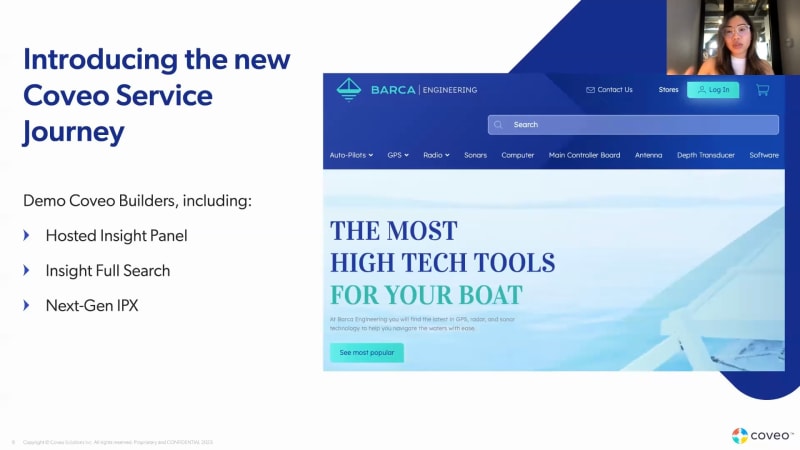
Alright. Hi, everyone. Welcome. Welcome to new to, new in service. Alright. So I see that the number of people joining, increasing, and we are we are on the dot right now. So welcome in new in service. My name is Hailey. I am the, product marketing manager for service. Today, I am joined by Oscar, David, and Odive, and we are very happy to, walk you through some of the new features that we have in new in in in the service line of business for Coveo. So before jumping into the session, I'm just gonna, you know, I just want to go over some housekeeping items that we have. So first and foremost, the session will be recorded, and it will be available on demand on Nuance Coveo web page. You can submit your questions in a chatbot right the chat box right below, and we will monitor and try to answer them as much as we can. However, to respect the time as we have a lot to cover today, we may not be able to answer everything. So in case your questions are not answered, just, you know, be rest assured that a member of the Coveo team will reach out to you to follow-up accordingly. So before jumping into the agenda, I just want to give a shout out that Coveo is one core AI platform that benefit from our continued focus on innovation. So with that said, we are always continuing, continuing to release new features that can be used across different use cases within the Coveo relevance platform. So today, we will focus on service, but if you want to learn more about other features, we encourage you to join as a session this week. Otherwise, we'll be sending you a launch kit with more details later on. So today, within the agenda. So first, David will introduce our new note, our our new code list tool for building and customizing service components within the Coveo admin console. These tools will empower you to innovate and enhance your existing self-service success and service agent experience. And then Olivia will drive a full demo of the full service experience using the builders that David just presents from the perspective of an end user. Last but not least, Oscar will give you an overview of our latest update in large language models with enhanced smart snippets. And to wrap up, he will go into details about our latest announcement on the Coveo generative answering and our use case, our use case for it in service. So, yeah, take it away, David. Thanks, Hello, everyone. So I'm very excited to present to you guys, the Coveo Builders in general. So the Coveo Builders is a horizontal, key that we've implemented, to some of some of our service functionalities to enable, our customers, our implementers, and large managers to be able to implement service features without the need of any code, or the need for any developer at the end of the day. What we're really excited about is that this feature is horizontal and applicable to multiple of our, service features. And so with that, the way this and the benefits of it is if you go to the next slide, is, I'm gonna click, is the differences between before and after the builder. Well, before the builder, it would take about one to three months to make any change to any Coveo implementation. We know Coveo offers a lot of powerful tools, a lot of powerful implementation features, But one of the key things that we've heard a lot from our customers over the years is, well, every time I wanna make a little change, it takes a while, and it takes about one to three months. Well, today with the builder, it takes about one to three days. The one to three day period, we always caveat that it depends on customer processes and release management systems. So, but for example, to prepare a demo for any of builder based features, it takes about twenty minutes to an hour to implement any of these demos, which is amazing to see. Now the first feature that is benefiting from the builder is the hosted inside panel. The hosted inside panel was j on the thirty first of January of this year. And, again, it it it offers a code list out of the box implementation possibility for your inside panel with all the legacy features and all the benefits of the inside panel with result actions, such as attach to case, quick view, or copy to clipboard, tags, like recommended tags, and facets, and and tabs as you are used to in your existing inside panel. Next slide, please. The the one thing to caveat is that today, the hosted inside panel is, only available for Salesforce users, but we are looking to expand it further down the line if there are if there is a attention and necessity for it. One thing that we have released alongside the hosted inside panel is insightful search, and the insightful search allows for your agents to be able to work in a much in in the same version of your insight panel, but bigger. And so it makes querying, for your agents a lot easier and simplifies their day to lives their day to day lives so they're gonna be able to work, in a much much more kind of simple way for them. The last feature that is benefiting from, today as of today of the builder is the next gen, IPX or next gen in product experience. The next gen in products experience will be GA as of April of this year, so literally in a couple of weeks. And, we'll be, leveraging some additional features that currently the hosted side panel doesn't have, which is, for example, CSS styling, but will leverage most of the similar components. The advantage of the builder is that it is applicable across the board, and we are looking to implement it with futures future solutions such as NextGen search as an example. And with that, I know I haven't gone into too many details, but the reason for that is that Olivier will share with you all the sparkles with a beautiful demo of post, the hosting side panel, and the NextGen IPX. Olivier, the floor is yours. Alright. Thanks a lot, thanks a lot, David, for this intro introduction. I hope you're seeing my screen properly. Hi, everyone. Very happy to be with you today, to show you, like, all of those great feature we've been working on in the last few months. So, today, I will kind of show do a quick demo about, what is the builder vision, how does it work in it, you know, for real. And I'm gonna show it to you guys live with an in product experience and, hosted inside panel as well. So let's start with what we have on screen here, basically. This is and some of you might have, might have already seen it. This is our Barca Barca Skipper Pro. It's it's a software. It's a web application, for or a demo environment, basically. It's just to show, you know, how can you bring of your feature, in different use cases. In that case, it's like the the question is, how can you drive self-service to your end user through a software? You know? Your company, Barca, is selling this software here, and, basically, you know, there is a it's a boating application where you can plan trips and navigation, matters. So, basically, if a user need help, on the bottom right corner here, you have that little help button. You click on it. This is what we call Coby one product experience. Basically, it return beside going to a full support search page, basically, any end user can find their proper information, proper help right inside the software without having to, you know, quit going Google and and type question there. So as you see, you have, like, full Power interface with query suggestions, machine learning, all those recommendation, etcetera. One thing I would like to show you guys that basically, the the IPX knows where within an application the user is. So in that case, I'm on the dashboard, and so all of those document are dashboard related. If I go into the trip planner section and I open it back, you're gonna see that, like, the document are related to the trip planning interface. So, you know, it's a very powerful interface to drive self-service. It's even content aware context aware. Basically, if, let's say, my software is having an issue, let's say I have a cut twenty two AR, etcetera. I open back IPX. As you can see, it's gonna be cut twenty two kind of documentation. So, really, the idea here is to drive, like, proactive help to end user within the software. So that is a feature that has been live for a couple of of, of quarter already. So now we're going to the IPX version two. And, yeah, the version two is like, it's it's it come with an easier way to integrate, to to deploy, and, improve visual interface. So let me just show it to you here. So I just gonna switch to my demo environment. It's pretty much the same, but bottom right corner, same use case. I do have some kind of new product experience inside my software. As a business owner, maybe I have some some some issue with, you know, the the the label on the button, the colors, the facet under the right one. You know? I would like to change my end product experience, but, you know, if it was everything is owned by the back end developer, you know, it can like, just like David was stating, it can takes couple of time to just back and forth and make sure that I can update my visual interface. So let's switch gear. I open the Cavio platform. What you're seeing on the screen here, it is exactly the same IPX, but this one is from within the builder vision. So as you see on the left hand side, you can configure your result template. You can reconfigure your facet, your tab, your styling option, and and way much more. So just to give you a glimpse of how does it work. So as a you know, I say that I need to change the the the the label on the button. Let's change that to help me. And just to make it, like, really shiny and, like, obvious, let's change the primary colors as well for a nice shade of green like that just so it's obvious. And let's change a little bit the, let's say, the background colors. And, again, I'm not a UX designer, so bear with me. I just want to to make it, like, very obvious. So I change the color. I change the the label. I hit save. Automatically, what's happening here is that all this configuration has been uploaded right inside the CoverWeaver, and any IPX link to this configuration, just like this one, if I refresh my page, as you can see, the support, the the the label has been changed as well as all the colors. So it's a very easy, simple example here, but I just want to stress that actually everything else could be changed on the fly. Facet tabs, styling, font colors, everything. So, really, the builder vision enabled you guys to have a better control of, like, the different Cognio feature that you're deploying. So that was for the Cognio product experience. The other part that David was talking about is the whole set inside panel. And, again, here we we work in applying exactly the same the same concept. So if I start back the story from my, you know, my my story line where I am I'm having an issue with the cut twenty two error with Barca, with with my software, let's say that I contact support, you know, the user gonna create a support case. You know, basically, it can just, like, click on contact support here. It opened the contact creation pan the contact creation window. And here, you know, you you add your description, etcetera. What would happen when you hit next is that at the end of the day, a support agent inside Salesforce is gonna get to this to gonna get to that case and try to solve it. So what you're seeing here on the left hand side, this is a Coveo wholesale inside panel. Again, as a business owner in that case and a support manager, let's say, I would like to add new option. I would like to add new kind of documentation so my agent can be more, can be better at solving cases. I'm gonna keep it simple. If you can see here, there is a you see here, for every result, there is a little kind of, a little clippy, attached results. Let's say I would like to add other option for the future, because, you know, I have improved documentation, and I know now I would like to add a quick view. I would like to add, other other kind of, option. I open my builder. In that case, right here, as you see, it's exactly the same look and feel that as in the IPX builder. Same form factor again, same, same, same same result template choosing area, filtering option. The only difference here is that there is no styling option because it's within Salesforce, so we don't need to change the colors or everything. But in that case, I wanted to add, let's say, in that case, I already had attached to case enable. I would like to add copy to clipboard and, let's say, a quick view feature. So I check both of those things. You can sit already in the preview. I hit save. Again, same concept. All of that is being driven by the same, Barca end stack. Now any hosted inside panel linked to that very configuration gonna be updated with my new changes. If if I reload my Salesforce page, and you're gonna see now on the top right hand side, I have now attached results, copy, and quick view. All of those thing took me, like, couple of minutes to to get it working so my agent can start already with those new feature. One of the and just before, I would like to finish on that, everything related to the builder basically, gonna enable you guys to deploy new features and new updates of the Coveo platform right at your fingertips. Basically, if tomorrow morning we're adding a new machine learning model or a new visual interface, we'll be already available within the builder. So for you guys to deploy that at scale within your ecosystem is just couple of clicks away. You open your IPX, which add the new feature that we just released. Same thing for hosted inside panel. So really here, what this is kind of part of a builder vision to make sure that, like, deploying Coviu integration at scale, it's even better, even easier. So I I hope you found that interesting. On this, I will give back my share my stream to and my friend Oscar will drive you to, generative AI and machine learning. Thanks a lot. Alright. Thank you, Olivier. So that pretty much wraps up the first part of our presentation where we covered the builders, which is a horizontal feature to help our customers scale and gets get the most out of our existing service products. So beside the hosted inside panel and the next gen IPX, keep an eye out for keep an eye out for more awesome new builder features in our cup our upcoming releases in the fall. So, actually, before moving, moving, on to Oscar, let's answer some questions that you that you have, you know, from the q and a. So one of the first questions is that, you know, whether the the the builders or the hosted inside panel and the IPX are available for Salesforce only. So I can answer this right away. So pretty much the hosted inside panel is available out of the box for Salesforce today, but it is a hosted solution that could easily be embedded into other solutions with minimal effort. And pretty much in the future, we will bring this into our other existing integrations as well. And then in terms of the IPX, the next gen IPX, and the enhanced smart snippet that Oscar's is, will be talking about, those, those are the features that, you know, all of the customers can use. So I have I have time for one more question, and that is, are there any activation steps, to do you know, like, for the customers to do in order to use the hosted inside panel or the IPX? No. There is no activation step required. The next generation IPX as well as the hosted inside panel are really are available within the couple platform. You know, everyone where would access should have access to it. Alright. Perfect. So now onto the exciting stuff. The new development on the on machine learning side. So we are very thrilled to introduce the enhanced smart snippets. It is a large language machine learning model that will make question answering a breeze. Also, we will be announcing, our our new exciting announcement on generative AI. So, Oscar, take it away. Alright. Hi, guys. Thank you for joining today. We are really excited to share some of the improvements we've made to, smart snippets or question answering feature. For those who don't know the feature or not so super familiar, this is what you see on the on the right side of the screen. So, it's a feature powered by a a semantic similarity model that returns direct answer to customer queries. And, here on the right side of the the screen, you could see a little bit how it looks like. The the top answer is what we call the main snippets. The following, answers are what we call people also ask. I'm just bringing it up because I'll I'll talk about it in a second. So if we move on to the next slide, the best way I could really show you guys the improvements, that we've done is to show you the the the now and the next. Using those large language model, we are getting better out of the box, performance. And for the same query, the model will the the current model will return some answers, as of today. It returns more answers, with the new model and they are much more relevant. And so we're really excited to bring those improvements to you guys. If you if you were to go to the next slide, I'll, I'll talk a little bit more about, the, the details of, getting a little bit more tactical, about it. So to what, what are the changes we made? We really replaced the model that's powering the feature, by a new large language model, that's called, MiniLM. It's an open source model that we've fine tuned for the use case of question answering in the service and support context. So that's a little bit of secret sauce that we've added to it. And, what we're we're really excited about is these, the improvement I showed you, we're able to, we were able to evaluate and assess them, using scientific methodology. And and that really, give us confidence that we're bringing you guys value. So the results that we've seen are are very interesting. For the more natural queries, so long form questions, this is where we see the most gains. We see almost, like, double, the amount of, like, relevant snippets for the so the main snippets. We we doubled the amount of good, relevance that snippet that are shown. For the your typical keyword query, we're still seeing a lift of about twenty percent in in relevant snippets, returned. And in both scenario, the amount of people also ask those secondary components, improved by nearly fifty percent. And this is without doing anything to your data or to your document. It's just the model works better. I think, the last thing I could say is that this is gonna be available April six. And if you are already using the the current model, you don't need to do anything. We're gonna simply update the model engine, at the next training. And so it's, hassle free for you guys. Yeah. I think that's that's about it for the the model, enhancements. Along with that, we've, improved the UI around our statistics. So more, more details on on what's going on inside the model, especially on the health and the health of the data set, you you gave to the model. It's easier to understand. And if there is any issues, you have like troubleshooting steps. So we hope that this is gonna make the adoption even easier, for for this feature. Now onto onto the exact exciting stuff. So while we're making improvements to our existing question answering, feature, we're also working on new generative capabilities that we're gonna deliver through the summer and the rest of twenty twenty three. And a lot of people ask us like, okay. What is Coveo gonna do? You mentioned service use cases. Yes. We wanna we wanna continue to leverage the the best technology available out there to improve the self-service experience. And we're gonna start, with the the search page experience, and we wanna provide you guys with a search page that's able to stream the answers, but from multi documents from from several documents that could be in several formats. We've heard heard a lot about how PDFs is is interested is interesting in support. So you might have a knowledge base that's in HTML, a a knowledge document in HTML, but you all you might also have, like, a a product guide that's in, a PDF. And we really want the search page to be able to, pick from those two documents and create an an answer for your end user, that respects the the document permission, security, etcetera. So that's that's gonna be our focus, for the the next couple of months. Yeah. Okay. And and how how do we do this? Well, you might have heard the term of, retrieval augmented generation, which is, which is really interesting. It's adding a bit of complexity to traditional search, but we think the benefits, are really are gonna be really important, and and we wanna we wanna deliver this to, to our clients. So to to really understand the retrieval of method generation, keep in mind that it relies on having a good search engine. Because what what we do with that, we we will have a better understanding of the document that we ingest through our secure connectors. We're gonna get, an understanding that that goes beyond just the document. In general, we're we're gonna go to the paragraph and sentence level, understanding during the ingestion, which is gonna provide a new dataset for those large language model to feed off of, and and do the generative answers. And as a user who's gonna type in their questions, we're still gonna perform the, the the actual retrieval process, which means combining keyword and semantic search through our index, to provide, a list of result to the end user. But on top of that, and I think that's where the the other innovation also comes from, is that we're adding that other operation, which is from the the top document that were returned, now ask those large language models to go in and look at all those sentences and paragraph and recreate, what's gonna be the most relevant answer. So we're leveraging search to narrow down what's what's gonna be important for, for the context of the query, but in in using large language model and, and retrieval augmented generation to form a better answer so the user doesn't have to open, like, six tabs with all the different result and search for it. We're gonna provide it right away. A couple other things maybe because we've heard a lot of questions around large language model, and we know it's a it's a new and high topic. Both model comes pretrained, so they know a lot of things from the Internet. But we we use the pretraining mainly for their capability to put together sentences that are grammatically correct, and, and and that look good. And now the, the Coveo secret sauce is also, is gonna be to retrain and train those source, those model onto your specific content that's already in the index. So that's the information that you provide is not information from the Internet. It it will provide information that's written in your documents. And and combining the pretraining with the training on your specific documents, is really gonna provide the best of both world. A little bit more on security because all this is gonna be performed within the Covell ecosystem. We we're not exposing your data to OpenAI or any other provider. It stays within Covell. So the same way you would create an ART model today, that the same level of security, is gonna be applied with large language models. So, as long as you trust Coveo, to manage your data and and and be a trusted security partner, you're gonna be fine with that. And in terms of effort as well from from you guys, we expect the efforts for for you to benefit from those features to be really minimum. We we expect it to be a process of, going into the admin, selecting, the the datasets, for for the model and clicking, like, create model and and nothing else, similar to what it is today. And I think that's where, Coveo really brings value, to the enterprise is removing some of the complexity, of the the technology and and packaging packaging it in a way that business user can quickly leverage, test, and benefit from from that technology. So with that say, yeah, there's the beta program. If you are interested, if you wanna be, receiving communication about how we progress on on this feature, please sign up, and and we'll be in touch. And I guess with that, that's the end of it. Alright. Thank you, Oscar. So now we are moving on to the questions. We do receive a few in the q and a here. So the first questions that I have is that, so will smart snippets the enhanced smart snippet models, will that work with, PDF? Because right now, it works with HTML and then etcetera. Alright. So, it it won't be, the new model we're releasing April six won't be, working with PDF. But as we enable those capability for generative, this is also gonna be brought in to to smart snippets. So expect later on in twenty twenty three to to see smart snippets, benefit from some of the innovation, around generative. Mhmm. So the second questions that I have is that, you know, will Coveo generative answering have any use case for chatbot? I mean, we we don't expect it to be our focus in the short term, like chatbots, but what's interesting is that we're building components around generative. We we need to create to to focus on a specific use case right now, but all the the components and building blocks will be reusable like, like, we have it today, with search API and and other elements. So we anticipate generative to be really a capability, more than, like, a feature per se, and we'll be able to leverage it in several use case. So whether it's IPX that, Olivier demonstrated or the case form, we see a lot of, like, use cases and and potentially even for, like, the agent experience. So see it more as a capability, and, that could be reused for chatbots as well. Mhmm. And then I have time for one last question. Will Coveo generative answering require any training or manual tuning like chat GPT or open AI? No. As I said, we don't see requirements from, like, manual tuning. And again, or or or or goal and mission is to democratize AI and to, package all the complexity into a product that's designed for, business user and and their needs with the least effort possible. So we don't expect it to be more difficult or more challenging than creating an an another model. Mhmm. Mhmm. Alright. So thank you, Oscar, and thank you, David and Olivier, for, you know, presenting, and for telling us about the new features that we have today in service. So I do notice that there are other questions in the q and a. However, since we don't have time for those, be rest assured that someone from the Coveo team will be reaching out to you guys to answer those questions accordingly. So, yeah, thank you for tuning in today. And if you're interested in trying out the hosted insight panel, the next gen IPX, or the enhanced smart snippet, You can either go on new new incoveo dot com or just, like, browse your launch kit. In those launch kit, you will receive, like, all the appropriate, links and then resources for you to upgrade to the new features. Or, alternatively, you can reach out to just to just CSM if you have any further questions or if you want to try out, you know, any of these features. But beside that, thank you for tuning in, and see you in the fall. Thank you, everyone. Thank you, everyone. Bye bye.

New In Service - Spring 2023
Taking customer service to new heights requires adapting to ever-changing business needs and making the most out of your self-service technology. Join us as we showcase our powerful no-code tools that allow you to build, customize, and launch service components - unlocking the full potential of service innovation.
New and Enhanced features include:
- Coveo Builders
- Hosted Insight Panel
- Insight Full Search
- Next-gen IPX
- Enhanced Smart Snippets
"Learn how to win more customers, keep more customers, & increase their satisfaction by personalizing their experience.” Coveo Relevance 360° attendee

Find out what’s working now – straight from the experts
