
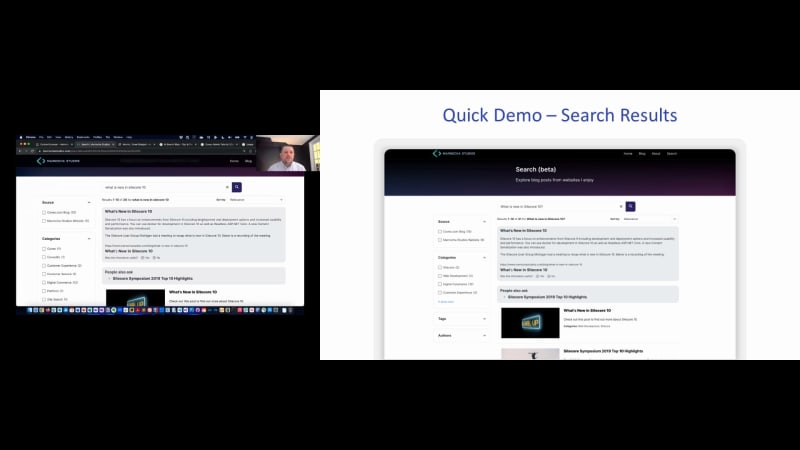
You for joining us from wherever you are today. I'm Juanita Olguin, and and Mike and I wanted to start by just introducing ourselves a little bit so you get a sense of who you're hearing from today. But I did wanna also share we will be at Rework Connect in May, so we hope to see you there in person as well. So for those of you that don't know about Coveo, I did wanna share a little bit of a background. We've been around since two thousand and five and actually went public just at the end of twenty twenty one. We're a technology company, and we refer to ourselves as the Coveo Relevance Cloud. And we've actually won quite a number of industry awards, known as a leader in the cognitive search, wave as well as leader in the insight engines for Gartner Magic Quadrant. And what these accolades show is the transformation innovation we're able to provide to our customers on both the customer as well as the employee experience side. And we're able to do that with with just over seven hundred employees. And what's a little unique about Coveo is that nearly forty percent of our team is focused on the research and development side. So we have a ton of data scientists and experts that are really focused on making I AI usable and enabling those machine learning models so that, you all can benefit. We have nearly six hundred customers today, SaaS based subscription customers, and many of the Fortune five hundred, which we know and love, we can call our customers, which is really great. Our mission is to help technology leaders like yourselves transform the digital experiences you have in place today, and we do that by using our AI, our machine learning models to personalize, recommend content, knowledge, or products, whatever that might be that your user is looking for on the site in question. What is really exciting about today is we are able as a technology company, we are able to extend our impact through our consultancy and creative partners like RightPoint. So I was really glad that Mike agreed to join us today to share a little bit more, about our views on the marketplace today. So, Mike, I'll pass it over to you to just introduce yourself. Thanks, Juanita. Hi. My name is Mike Marnoka. I've been working at RightPoint for ten years as an enterprise architect, and I'm focused on enterprise search solutions across web, workplace, and service. For anyone not familiar with RightPoint, we are an experience agency. I like to describe it as a super combo intersection of the best of a creative agency, a management consulting company, technology company, and a digital product company. We have experts from each area with deep ex experience to create the right solution for you and your customers. Brightpoint is a gold partner of Coveo with three Coveo MVPs and we go to market with four solution areas in customer experience, employee experience, commerce, and digital product. We have deep partnerships with Microsoft, Salesforce, Adobe, Sitecore, and Optimizely just to name a few And we love to talk about experience. Thanks, Mike. So we wanted to get started by just getting a sense for who's in the room with us today. So we're gonna run a quick poll, if you don't mind running that, Alec, to, gauge. Who's in the room? Are you on the IT infrastructure side? Do we have more web developers? Are you more on the Barca, marketing technologist? Maybe you're in content management, perhaps marketing communications, or something else. And if you don't see your role or function here, please feel free to put it in the chat. Let's see what the poll is showing. Any any guesses on where we're gonna land here, Mike? I'm hoping to see a good mix. Yeah. We'll give users just a or visitor, sorry, a, a few more seconds to vote. I'm seeing, yeah, I think you're right. A mix. I see more marketing technology today. Marketing comms also, so that's a great mix. Awesome. So I think we can probably push these results to the audience, Alec. But just so you all get a sense of who's in the room today, it sounds like we, have a real mix, which is great. A little IT, web, marketing tech, content, and comms. Mike, you called it. It's even almost across the bar. We hit our target audience. Definitely. So welcome. Thank you all for joining us. Let's jump into the topic for today. So I think we believe you all, joined us because we can all agree that experience matters, and we know what matters when we see stats like this on the screen. Thirty two percent of customers would stop doing business with a brand they loved after just one bad experience. Thirty nine percent of customers will not do business with any company that fails to offer personalization. Fifty two percent of customers said the number one way brands make them feel understood is by offering relevant product and service recommendations. So these stats really scream that experience is important, and I don't think any of us would argue that that's why we're here today. But when it comes to digital, the reality is a little bit different in terms of companies really do have a long way to go. We've been running a survey for the past couple of years where we pull, tech professionals on their views on search and AI. And what you see here is that ninety nine percent of them say that they struggle to deliver relevant results to their end users. It's important to put that into context. Right? Ninety nine percent struggle to deliver results relevant results to their end users. And what that means is that if your end user is a prospect, that's really putting future revenues at risk. If your end user is a customer and they can't find what they need, this is increasing your cost to serve as well as negatively impacting your brand loyalty. And if your end user is an employee, then you're contributing to burnout and a loss in productivity. So very significant and and, as you can see, a long way to go on the digital side, which is hopefully also why you're here today. We believe that scalable and relevant experiences matter more, and there's a few trends that are supporting this. The first is that self-service is increasing. Everyone wants to do their own research before reaching out to talk about purchasing. Customers wanna self serve. They wanna be self sufficient and and transact on their own without having to contact anyone. The second is the continued explosion and growth in data and content. We know that content data continues to grow, and it's becoming somewhat unmanageable. So having scalable and relevant digital experiences is gonna really help bring that management and structure. The third is the need to be human centric. We see all the hype with chat GPT, and the reason it's so popular is because it's it's very human centric. It's very natural in terms of how you can conversate with the chat. The fourth, I already mentioned, which is that the need to personalize is growing, and customers expect that you know a lot about them, and you should be able to use that data to personalize information for them. Finally, we live in a world of constant change, so the need to be able to be flexible and agile to that change is increasing more and more. So we need to ask ourselves, what is stopping companies from achieving digital excellence? And what we actually see is that it's a balance between form and function. What we tend to see is companies focus a lot more on the form or UI side, so look and feel, design, graphics, omnichannel. And that makes sense because you see a stat here that says fifty percent of consumers believe that a website design is crucial to a brand's overall a business's overall brand. But on the right hand side, you can see that function or the UX side is equally as important. When you see that forty three percent of site visitors go to the search box immediately, and they're two to three times more likely to convert. So on the function side, there's there needs to be a little bit more emphasis on using making your site findable, using relevance and personalization, as well as recommendations to help your users find what they need. So the purpose of this call today was to share with you that you don't need to choose between form and function. We see and we know and we help our customers use AI and headless search to help you achieve both. And so Mike's gonna take it over and talk a little bit more about these two components and areas. But before we do that, we wanted to just run one more poll to get a sense for your priorities for this year. So, Alec, if you can help me run the poll, we'd like to know what are you focused on for this year. Is it fixing search to improve findability on your different sites? Is it to improve site conversions overall? Do you wanna get better analytics and insights on on your sites out there today? Are you looking to add personalization? Are you here because you wanna explore the headless UI and composable frameworks that is also trending today? Lastly, are you trying to add in chat or chat GPT like capabilities? We'd love to hear from you, on where you're focused for the rest of this year. Mike, any thoughts on where we're gonna end up here? Like, we're gonna see a lot of chat GPT here. That's that's been hot lately. Alright. I think we're seeing, interestingly okay. I was gonna say one was leading, but we have a lot on improved site conversions. We do see getting better analytics and insights. I think you just swayed the vote to chat and chat GPT. But it's really nice to see it across the board. And if there's something here that you're focused on or there's something that you're focused on that you don't see here, do let us know on the chat. We'd love to hear, what you have going on. So I think we can send the poll results to the audience so you get a sense of where everyone's focused today. Great. Thank you for that. Mike, I'm gonna pass it over to you. Thank you. Okay. So one trend we see is the shift to composable. Brands today aren't buying for market share with their traditional set of competitors, when it comes to creating exceptional digital customer experiences. They're competing with any brand anywhere that does it better. And with the shift, companies need to get the solutions faster. I like to think of composable as getting your favorite fast foods. You know, your chicken sandwich from Chick fil A, your French fries from McDonald's, and your favorite shake from Shake Shack. You can bring together the best of breed solutions for your company. And, you know, in in the solution space in on the business side, maybe that looks like, you know, Coveo for search, Adobe Barca for personalization, and Salesforce for your CRM. We're also seeing CMS platforms transform into digital experience platforms. Composable isn't just more products, though. I like to think of it as a flexible cloud based and modular architecture. Let's take a deeper look on Composable. So on the right is a diagram of the composable, digital experience platform, compared to a monolithic, DXP, and this image is provided by Gartner. The big difference is the ability to modularize services and plug in different vendors in a way that they work together. And you avoid, platform lock in. It's customer centric, customizable, and easy to turn on as a cloud service. You might also heard ever heard of the Mach Alliance on the left hand side. M a c h, is an acronym for microservice, API first, cloud native, and headless. And I think, their key attributes align well with composable. But composable goes beyond just plugging multiple technologies into each other. It has to be sustainable over time. You know, you could use solar for search and host and maintain your own infrastructure, but you've created another job for someone to monitor, fix, issues, you know, upgrade, patch security, and also worry about performance and building your own intelligence. You know, on the other side, you could also buy an index as a solution as well, but you have to worry about the other seventy five percent of the solution. You have to build, you know, connectors to get your content into the index. You have to implement security, build a user interface, solve personalization, and relevance. I think great compulsability means it's cloud first. It's integrated as a service through APIs and headless. And, you know, your CMS could change, and you don't have to reimplement search all over again. I think the the key takeaway you should be, thinking about is moving your architecture to composable and leveraging solutions with these key attributes in mind. And Coveo is a great choice for, your provider for search and AI services. The next trend we see is the shift to total experience. I think Apple is way ahead of its time, in terms of experience. They think about the experience at all touch points, how the products feel, the experience of buying online, and in store, and they focus on easy to use user experience and a premium on supporting the customer with education. And, you know, this is the reality today. Customers expect a great experience. Search is such a great enabler of helping improve the experience, whether, you know, it's someone searching for information on your website, to an agent finding the right information to help a customer on a call, to an employee who who is just hired, you know, looking to understand the company and how they can help your customers. The talent shortage combined with a turbulent economy means you have to do more with less and leverage products to do the hard stuff as you just can't hire the resources to custom build it yourself. Good luck trying to hire a natural language processing expert and, you know, keeping them engaged and challenged. So AI and headless search can be force multipliers in your digital transformation. Let's take a look at how we can achieve this. So AI and machine learning makes sense for search. It search isn't one size fits everyone because relevancy tuning is different based on your your content, your industry, your customer, and and users. AI and machine learning figure out the patterns for you and self improve, with feedback on what your users are searching for and and clicking on. I think Coveo has the perfect mix of tuning to influence the results if tweaks are needed, through what they call pipelines. Coveo Search Analytics also tells you where your blind spots are on content and trends of the users and you can use this to add content or update your content architecture. You can also influence your user experience and design to improve overall customer experience. You know, for example, if you have gaps, in what people are looking for, maybe need to add a different section, you know, to your website. The true multiplier of Kabeo is it it's an enterprise search solution that can be used in workplace on the e x side, service and support. It can use be used on your website and for ecommerce. You know, you can start in one area and expand into others. Most products have searched, you know, but they're really siloed. Coveo can bring search for all your content in the relevant places you need it. With Coveo, you can automate the personalization of content and, discovery by responding responding to each, person's unique context and intent. And Coveo will complement your Barca Stack as it easily integrates because it's a cloud based SaaS solution. You know, as a partner of Coveo on the RightPoint side and having done multiple projects on, with Coveo, I really do think Coveo does things first class in the research and development and improvements they put into their product, the training, provided. And they they have a thoughtful approach to integrations and also the developer experience. Coveo accelerates your implementation implementation with the Coveo atomic library. It's a headless web component library for building responsive future proof user interfaces. It plugs easily into your favorite JavaScript framework such as React, Angular, and Vue this also allows you to build faster with less code and it starts with a great design so you aren't building from from scratch The web component architecture allows you to drop it in and go, or blend into your website for more of a custom look and feel. Other platforms with a deeper integration usually have issues with, version compatibility, upgrades, and lagging behind when the technology and design trends, change. Koveo has the power to deeply integrate into products and apps as well. I recently wrote a blog post for Koveo on the Koveo website about a playbook for implementing Atomic Head Headless for your website, and I recommend you check it out. So the key to success for a great composable solution is ability to quickly integrate and accelerate your time to value with a lot without a lot of development and code to write. So I'd like to give you a demo today of my atomic atomic headless playbook. If you don't have access to Coveo or wanna try it out, you can go to platform dot coveo platform dot cloud dot coveo dot com and log in, or start a free trial. And if you all already have access, you can create a new test organization. You can do that in the organization top drop down on the top right of your screen. Once you get logged in to the Coveo cloud platform, we would wanna add our website as a source to index. I'll film more of this in a a live demo but just giving high level steps right now. It's as easy as just, you know, typing in, for example, your site map, as the source that you wanna index, and letting it crawl and index your content. After indexing the content, we need to create an API key. You could also generate a project using the Coveo command line interface to create, maybe a React app and a key will be generated for you. The two privileges needed are Analytics and Search. Now that we have the basics, we're ready to start development and reference the Coveo atomic JavaScript and CSS assets. These are a few snippets from the Coveo, documentation on how to work with it. I really think it's it it's really easy to get started. Right? Whether you're working on a a static site, or using a a framework, yeah, you can easily install it and and get running. I'll show you more in the demo, but here's what an out of the box search interface would look like. I'm hosting this as a hosted search page, but your UI will be similar if you start off with, just the out of the box solution. You also wanna set up your query pipeline and then identify any adjustments and add your machine learning models. So here's what it looks like when it's fully integrated to your website. Let me share my screen, and we can get into more detail. Okay. So let me show you the the search UI first. This happens to be on my blog site where I was playing around with, the, Atomic UI search interface. You have obviously a search box. Right? So you can, type in, you know, atomic, for example, and see information. I'm actually pulling, blog posts from from my website as well as the coveaio dot com, blog website. And you can see here that you can you can filter on the left hand side, to either one of those sources. If I only wanted to see content from the Coveo blog, I can do that, or I can clear that filter and expand out. You can see, if the blog post is tagged to a specific category. I can filter. You have different options when you configure your, facets, to how many items you wanna show, with show more. You can have, the facets hidden, you know, where you have to expand them. You have the option to have a search box. Right? So if I wanted to search through tags, which there may be a a lot more tags than there than there are categories, and you can type those out and, filter by tags. Another filter I'm showing here is just just by author. So based on the metadata in the, blog post, you can set up the the the filters. Next, you know, what about if I wanted to ask it a question? You know, so, for example, you know, one of my blog posts is on Sitecore. What if I asked it, what is new in Sitecore ten, for example, is a question? You know, I found twenty results. But what Coveo has done is figured out that I was asking a question, and it has a match. It learned these answers by training on the data of my website and look for headings that were similar to, the content that it that it relates to. It can also pick up questions and answers from, JSON LD's, structured markup. It has feedback built in. Right? So I can, you know, tell it if it's useful or not. It it and it can also suggest other content similar to my question based on what other people have asked. So, you know, these gray box, gray boxes are what I'm talking about. Of course, it it has the answer in the search result as well. So if I, you know, continue beyond the the boxes, I can see, you know, one of the posts that, makes a lot of sense for that, question. But, you know, this feature where it can highlight the answers is called smart snippets, and it highlights it for me. You know, I thought about customizing, this demo and making it slowly type out the answer, you know, to give it a more dramatic generative AI effect like, ChatGPT. You know? But I like it just being fast. You know, give me the answer right away. So, you know, now that I bring that up, let's talk a little bit more about chat DPT as it's a very hot, you know, trend right now and and a disruptor, and it's influencing Microsoft and Bing and how they're heading in this direction. I think the key question is, you know, will it replace enterprise search and, you know, be used for site search? I and and I think the answer in the short term at least is I don't think so. Right? You know, chat GPT works best as a chatbot and also in generation of content. I think what everyone loves about it is you don't have to deal with the pain points of modern search. Right? On Google, you're you're plagued with ads and those fake websites that have great SEO, but really just have a summary of the content. You have to shift sift through the results, you know, and piece together the information you need. And, you know, what JetGPD does is that it seems to be able to take, you know, the best of many websites and merge them into an answer that seems, you know, authoritative and complete and easy to understand, and it and it doesn't have ads, and the other noise. On the other side, it can, you know, generate content and refine that content, you know, through follow-up prompts, something like write me a short story about trees. You know, it's it's a great tool, but I see the generative side being different than searching for something on a specific website. I'd see this more as a companion to enterprise search or site search. You know, certainly, you can, you know, be smart about understanding what someone is looking for and transition them into a chat interface. But I think, you know, the the point that is that it's something else. I think the real buzz continues to be about the use of AI and how smart it can be in specific use cases. What ChatGPD has done is made AI more relevant because it can do something useful for you and, you know, it isn't, just a theoretical tool. And, you know, I think Coveo was ahead of its time. You know, they've been leveraging AI since the start, and Coveo likes to call it, democratize democratization of AI. You know, and that's exactly what they've done with relevancy tuning and features like smart snippet. If I were a leader at a company, I'd be looking to tap into, you know, this type of AI and, booking my discovery call with, Coveo as soon as possible. So let's look at this, a little bit more, behind the scenes and and how it was built. So I'm gonna jump over into the Coveo cloud, council. And if I click on sources, I can see, the two sources that I have here set up, you know, my website and the Coveo blog. And as you can see, it's just as simple as adding in, you know, the reference to your site map. There's other connectors and different ways of of connecting, but I'm I'm a big fan of the the site map connector. I can quickly see content in the content browser in the unified index, right, and expect inspect the properties, of of, information and, you know, debug the the metadata. I can also jump into the query pipelines. You know, and if I wanted to boost the results, there's a there's a rule builder that I can, feature results, based on what someone, types in or, use a rule with, Boost to to make the content more relevant based on, different properties. I can view the, the models where the machine learning are, you know, and and see the different, options that they have. Automatic relevance and relevance tuning is, you know, the major one. Behind the scenes, there's also a query suggestion. So as I, you know, start typing in the search box, it can, be smart to, figure out what other people people are searching for and make suggestions there. It can reorder facets and boost matching based on, other people's, experience and what facets, values have the best results. Obviously, the smart snippets is, a a model that that will train on your content. And there's other use cases for, different scenarios around, product recommendations, commerce, and, case agent support. Next up, I can show you the API keys. Right? So, as I mentioned in starting with the the framework, you have to, create an API key and give it the right privileges. So on the privileges tab, from a search perspective, I'm allowing it to execute queries. And on the analytics side, I want to be able to push, push the data. And that sets up, the ability to take a look at, analytics reports. I can look at a a summary report and see what people are searching on, you know, dive in and find content gaps, what the top queries are, you know, the top things or pages that they view, after they've searched for something. So on, you know, building my website, I'm actually using, Next. Js and React. And apologize for all the non, developer or IT people on the call but, just jumping quickly into code to show you an example and how quickly it is to to get started. So, you know, the first thing is on my app, JS or TypeScript, file, I I have imported the CoAo CSS. You know, that sets up some of the global variables, for colors and font and, you know, things like that. I have my my search page. Right? The the search page imports all the atomic components. And so they've they've also built an atomic React wrapper so that you can use native, Rack components. So I can see all those in here. And that was imported from Coveo React. And that's easily imported, you know, using NPM and installing the Coveo atomic, framework. From there, you, just have to really, instantiate the search interface by building a search engine, and passing in your, access token. That's your API key and your organization ID so it knows where to, get the search results. And you can also wire it up to a pipeline and define, your interface as a hub, so that you can, customize the experience for that. Once you've done that, then you can, put the search interface, on your page, you know, through the single tag here, where you pass it in the engine. These are the fields that I wanted to include. And then from there, you just use all of the atomic, components. You know, it looks like a lot of code, but everything is just very modular and working out for you. It comes with the default layouts. Here's where I'm defining my, facets. Right? So the source facet, the categories, tags, and author. You can tell it, you know, how many values you wanna show, whether you wanna show search. You know? So this is directly corresponding, to, you know, the facets on the left hand side over here. After that, you can see, sorting. Right? So I've defined, the default sorting as relevance, but I can also sort by, publication date, ascending, and and descending. So on the UI, I have that over here. And then, lastly, there's what's called the result template. So based on, the content, if you're displaying mixed content, you know, maybe documents and videos and and blog posts, you can customize the, layout of that result. And you do that with a template. Here, I've exposed some some of the categories, as metadata and showing, a featured image. So, with that, you can also customize the, styling in CMS. I've done a few things here to make it, you know, a little more integrated with my site. You know, the the setting the font family, changing some of the primary colors, you know, so that search search box is purple instead of the default blue, and tightening up the the layout a little bit with, different, CSS, targets here. So, yeah, that's it as far as building a a website. Not it didn't take a lot of code, and I was able to build a search interface that, I think looks pretty pretty good. It has a a mobile version as well. Right? So if I switch into a mobile view, I can see, that it is, responsive. It, combines the the filters into a toggle component, you know, so that you have mobile, you know, capabilities to to update your, content and interact with the experience, through search in a in a mobile way as well. So, all of that is ready for you to get to get started with Atomic. One tool that, Coveo provides is a, storybook for all of its components, and I find this is helpful in in customizing and figuring out the right CSS to target. So there's different options in this. You can see I'm a choose I chose the, smart snippet here. So you can see a preview of what that component, you know, shows that's showing the, the the question and answer, and and the, you know, was this information helpful? And then from there, you can see what, settings that you can set, as far as properties on the component. So if I wanted to set, you know, the maximum height, you know, to one ninety, I could I could change that here and see that the, this this section got a little bit, shorter and now it's showing a show more. I can see, what shadow parts are exposed. So this is part of, web components. But they've exposed exposed different properties. If you wanted to customize, you can just hit the edit button on one of these, and let's say I wanted to change the, the font to to red. I can see what that might look like. So I can, you know, have a designer, you know, maybe style this and play around with this, get it to how they want it to look like. And then I can go to the code sample, and it shows me the code, to to copy, into my, atomic framework. So here's that attribute of setting the maximum height, and here's a CSS class to set the text color to red. So, I find this very, very helpful. Obviously, there's other, you know, interfaces you can build if you go to the coveo dot com slash blog, and search. Obviously, that's powered by Coveo, and you can see, you know, different layouts and, themes that they, have to to get started. I do, you know, think that Coveo does a great job on training. So level up dot coveo dot com is a great resource, and they have a Coveo atomic tutorial. You know, their training, is free, so you can just jump in here and quickly, get started. And then, of course, their documentation on docs dot coveo dot com, can walk you through some of the finer details, and you click you can look up all the, the the syntax. So hopefully, you see that Atomic is easy to get started with. You know, I've spoken a lot about building this for your website, but, you know, the Coveo and Atomic, framework can also be used for many other use cases. So I'm gonna jump back to the presentation, and, Juanita can share some more. Thanks, Mike. That was an awesome demo and overview. I hope you all got a sense of, how how easy and quick it is and the options you have available to you. And what you saw Mike build is essentially a quick hosted search page on his own website. But we did what we did wanna highlight was that we help we've helped companies build sites in a number of different use cases across different sites and applications. So I've included a few here just to give you an idea, that we help both on the public as well as a private or authenticated side of the house. So we've helped anywhere from dot com to chatbots, help centers, doc sites. And on the private side, huge customer base, working and helping them on the Internet side, sales use case, digital asset management. And for us, it's about helping stakeholders discover within their UI of choice. So regardless of whether your user is a customer, a partner, an employee, or someone else, we're helping to build that customized and personalized experience. And one thing that I think really stands out and, is important for for all of you trying to build these sites is having multiple options for the UI that you can power with our AI powered search. So we see a few here that we worked with such as chatbots within your existing applications like Salesforce, Sitecore, Adobe. We can, you know, run through the API side of the house so you don't have to mess up any existing design investments. We have a Slack app and can work with other SaaS based applications. And our goal is to really help you achieve your goals, whether that's in impacting the revenue side, lowering the cost side, or just improving the overall site experience and conversion that I saw some of you answer on that last poll. So, hopefully, this gives you an idea of breadth and area and use cases that you can consider as you're thinking about, the future of your sites. Before we open it up, I did want to just share a couple of links, which I think, Jorge, you can maybe share in the chat as well. One is Mike's blog, that he mentioned. It's a little bit of a how to on, AI and headless search on how you can stand something up pretty quickly. So we'll get that link shared with you to learn a little bit more. But if you wanna dig in deeper, if you wanna, have, you know, a direct conversation with us, we also have a book of discovery calling. And Jordan is on the call. You'll see him here shortly, to give you a great overview and help you figure out where to start, if you're not exactly sure, where you wanna, get focused. So with that, we do wanna thank you for your time today. On the next slide, we did share our contact information. Mike and I invite you to connect with us on LinkedIn. We'd love to hear from you. Thank you for your time, and I think let's open it up for a few of those questions I saw come in. Alright. Juanita, Mike, thank you both. And we do have Georgia, everybody. So we're gonna get into some questions. The first question that I wanna start with, I'm gonna start with you first on this one. I think, Juanita, we'll go with you. And the question is, where would you start on a Coveo project, website or intranet? That's a great question. I guess it depends. I would say either is is a good start where are you feeling the most pain. I think, as long as you have a very, like, focused need or, pain or challenge, that's where you start first. So if you know, like, the Internet is not well, you know what content sources are really causing you problems or not showing up, like, that might be a good place to start. On the flip side, if your website is really impacting conversions or impacting your revenue or costs, that's also a great place to put a a little bit more prioritization. So I think it really depends on where you're focused and, what are the resources there to support you. Either works. Obviously, both are important, and we have customers that do both, you know, do both, and it's a journey. You start with one and you move to another. So I don't know if, Mike or Jordan, you guys wanna add anything there. Yeah. I would say on the the technical side, you know, that the the website project is probably gonna be a little bit more straightforward. Right? Especially using headless and crawling your content and and getting going. I think it's a little bit easier to get your feet wet there. You know, but, again, it really just matters, you know, what the value is to you and your organization. You can you can easily, extend and and keep going after you've started one of the the projects. Alright. Perfect. Let's move along. I got a question here for you who I'm gonna start with on this mic. And the question comes from, Mohit. The question is, what challenges are there if I plan to use headless CMS with GraphQL? Yeah. Good good question. You know, so always with with headless, you know, there's the need for developers. Right? I mean, you do have to write, you know, some code whether you're using a framework. You know, so you have to have a development team that can can support that. I think, you know, you wanna have more of a hybrid design where you're getting more of your content from the CMS and it's configurable and you don't have to always, you know, update or write code every time you wanna make an update. You know, using, GraphCMS, you know, that's why I use it for my blog. I think, you know, leveraging the modern frameworks is key. Right? I chose to use Next. Js on my website, you know, and that easily, integrates with, Graph, GraphQL or GraphCMS. And, you know, from there, it's easy to to bolt on your headless search, experience. Right? You, can can have it up and running on, a static website and don't have to worry about, you know, the back end server and infrastructure, to to support. So, hopefully, that that helps. Alright. Perfect. Next question I'm gonna send to you, Georgi. The question comes from Xin. And the question is, what's the difference between the Coveo headless and the Atomic React? Oh, you might be muted. Two plus years of of Zoom and and and then later, and it still happens. Yeah. Everyone. Yeah. That that was a question that came in the chat. I was able to answer that quickly. But, ideally, Atomic is ideal option if you wanna quickly assemble a a feature rich Coveo powered search interface without really having to implement all of the UI components of your own. If you wanna use your own search UI components library to interface with Coveo, then you should probably use the Coveo headless library instead. So, it all really depends on your requirements. Alright. Let's see if we have any other questions here in the queue. Here here's one that I'll start. Maybe I'll I'll I'll go with you on this one, Mike. And the question is build versus buy, why wouldn't we pick solar, elastic, or etcetera, other options? Yeah. I touched upon it a little bit in in the the slides. You know, but but building is just very hard, right, to to maintain. I think it's more cost effective in the long term to, you know, purchase a solution that's going to maintain and and update over time, like Coveo does. You know, comparing to solar elastic, you know, things like that, I think you're comparing, you know, apples and oranges. Right? Those are more, of an index as a service versus a full complete, you know, AI search, solution. So, you know, if you go down that route, you're gonna have to, build your own user interface, you know, worry about relevancy tuning yourself, and and really have to figure out all the the hard parts, along the way and end up, you know, spending a lot of money on those, aspects of a product. So I think Coveo has a ton of value in that, and and, all the tools you need. And and, Mike, if I can only add to that, sometimes what I see in in these calls is prospects that will come in and and mention knowledge transfer. Right? And so when you're building it yourself, you rely a lot on on the people who have built it. And those people, they may, move on to different companies, and then there's the entire process of transferring that knowledge over and having the new developers understand what what's been built and, continuing that project that, that can be a a a drawback of having to build it yourself versus a solution that's complete and and ready to go out of the box. Alright. It looks like all the questions that we have, everybody. So I wanna thank I wanna thank you, Mike, Juanita, Giorgio, everybody for joining us, here for this presentation. And all of you in the audience, we really appreciate you taking time out of your day and joining us. And once more, thank you to Coveo for making today's webinar happen. We really appreciate their continued support. So today's webinar has been recorded. You're gonna receive a link to that recording and a follow-up email. You can watch again, share with your colleagues, but keep an eye on your inbox for that. It should be coming shortly. Again, you can check us out at c m s wire dot com. Register for our upcoming conference where you may get the pleasure to meet some of the team members at Coveo, there in Austin, Texas at Connect. But in the meantime, thanks once more everybody for joining us, and we'll see you on the next one.

Future-Proof Your Digital Experiences using AI and Headless Search
At the core of every digital experience is the availability of content, knowledge and product information—which customers expect to find quickly and seamlessly.
Unfortunately, 90% of C-suite executives say the current needs of customers and employees are changing faster than leaders can account for. These findings call for an exploration into new technology and enterprise architecture to help companies build for the future.
Enterprises can evolve to meet customer and employee demands with an innovative digital strategy. Marketing technology leaders can future-proof their tech and design investments by creating customizable and personalized digital experiences with the help of AI search and headless UI.
Join us for an exciting conversation featuring Juanita Olguin, Sr. Director of Marketing at Coveo, and Mike Marnocha, Technology Director at Rightpoint, where they’ll discuss:
- The latest trends in digital customer experience (and what to look out for in 2023!)
- How AI search and headless UI fit within your martech stack (and serve as “force multipliers” for digital transformation)
- The benefits of AI and composable technologies (including how these low-code/no-code solutions can power the total experience!)



Make every experience relevant with Coveo
