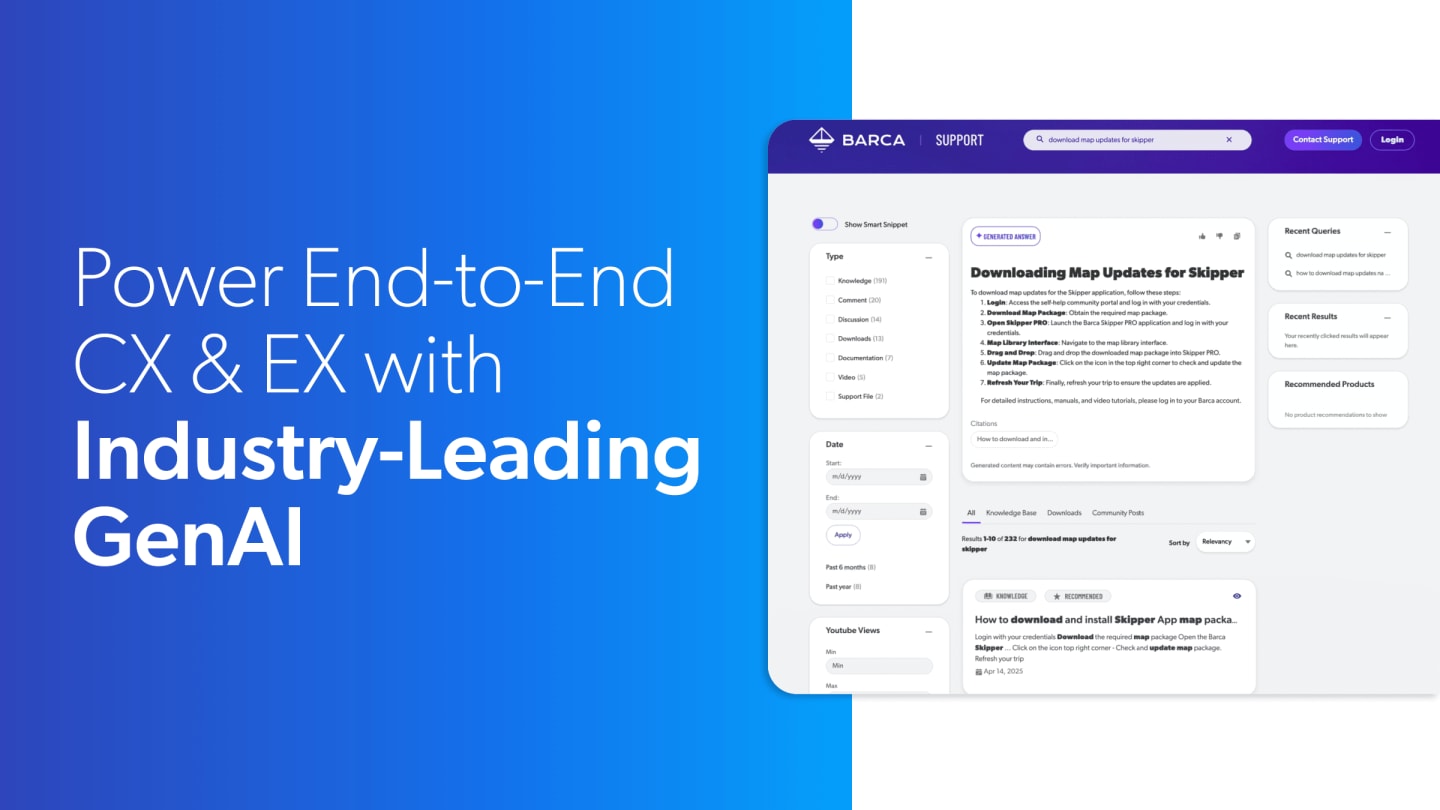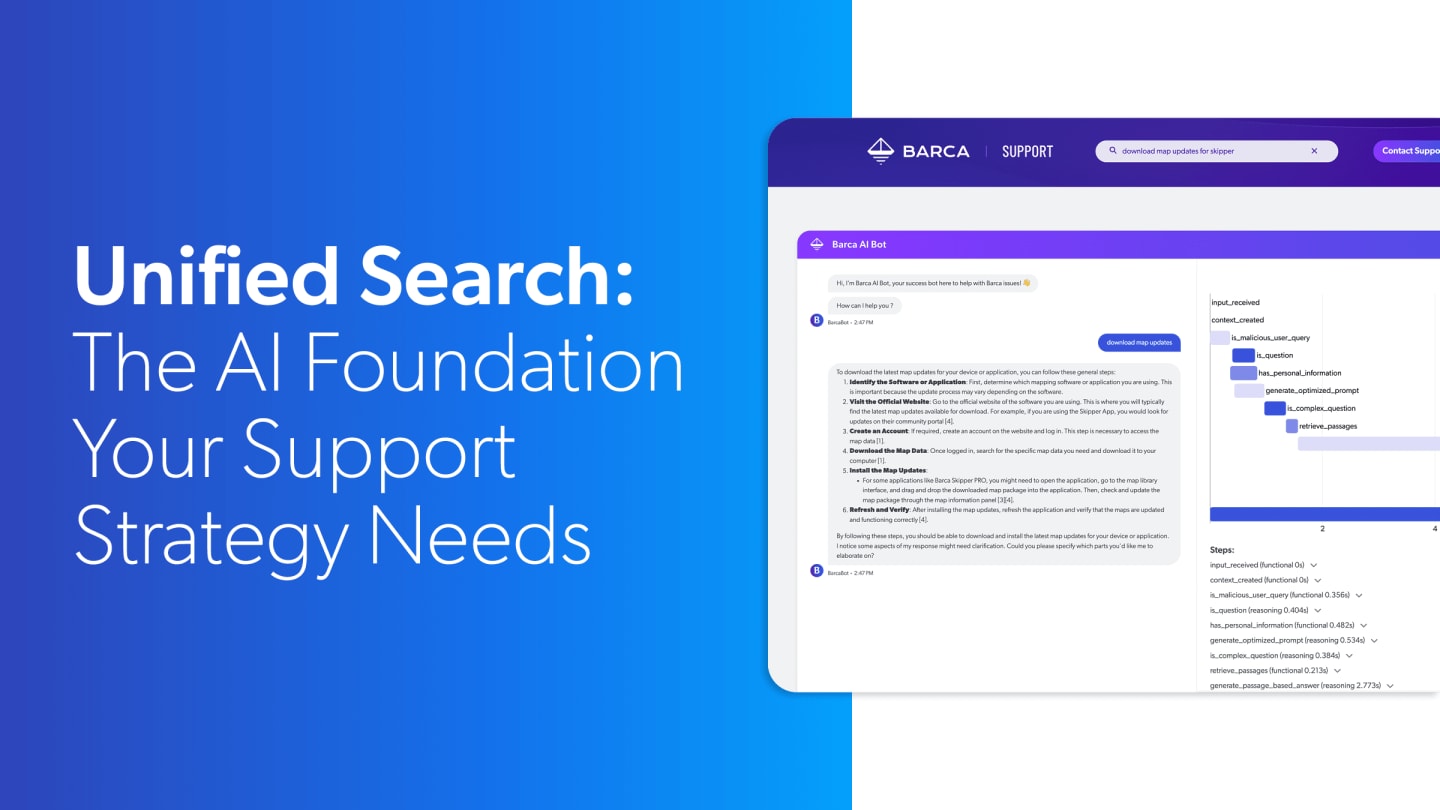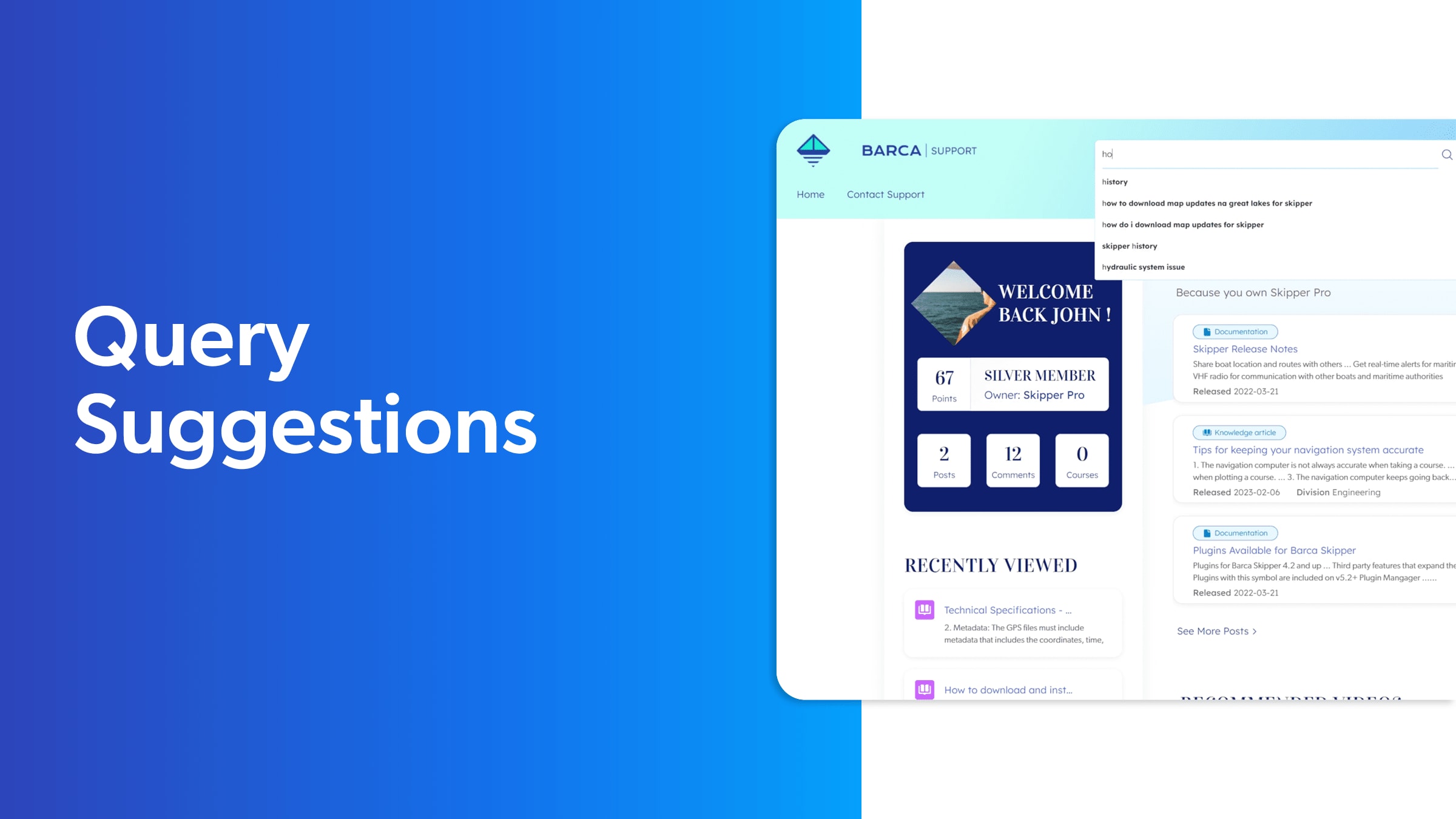
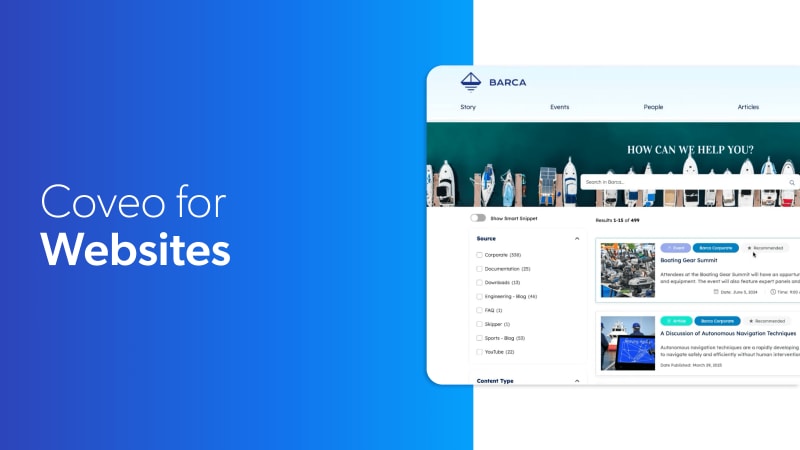
So the first thing I'll share with you is our Barca ecosystem. So the Barca is, is a fake a fictional brand we built here at Coveo to showcase the product. This website here is running on, Adobe AEM. The important part to notice is that all these components you see so we have a giant search box. We have the results set at the bottom with facets. This is all JavaScript based, framework called Atomic. It's also available in TypeScript, with Headless. This is deployable across all types of interfaces. So we have it integrated in many CRM, but it's also, on different CMS. So we have Sycore. We have Adobe, and we're also compatible with everything out there. So this kind of interface is easily reproducible, no matter where you are. So without further ado, the first thing we wanna do here is to, click the search box and start doing a query, what is bark? So the first thing you'll notice is at the top, we're gonna have that generative component that's gonna start explaining what's in the results below. It's important to notice that the query will first retrieve the results. And based on the best passages of information from the best results, we're able to send it to a an LLM and, at this point, generate a summary. There is a few features I wanna highlight here. First off, traceability of information. This information and everything that has been done for the, generative part is, is viewable here through a citation. So each document has a little part of text that has been extracted and has been used to generate this specific answer here. Let's continue just to show, the depth of the feature, of a full platform like Coveo. So when you start typing something, you get that query suggestion, which is powered by previous users that got successful queries working, on the system. So really a type ahead experience like you would have at, at Google. And then here are the generative components, all the different sets. We also offer something a little bit different. So if you switch to smart snippets here, you'll see, something different. It's another type of, of response that we do that is actually authored. So for specific questions, if you are in a highly standardized industry or if you need to provide, like, answer that are regulated. You can also decide to use a different approach, which will give you a semantic search, capability. But instead of generating an answer, you can select exactly the text you want, which is also very interesting. This comes with people also ask question, which will let you see other, documents that are possible, within the the ecosystem that you guys have. If we go down here and click on one of these, pages, you'll see at the bottom, this is a regular page that has been authored by Brian here. And at the bottom, we are also showcasing some recommendation. Why, I I'm talking about recommendation. We strongly believe that all these features together create a unified experience that that that makes the user more engaging with your CMS. So you're gonna have recommendation, the query suggestion, the generation, and all these experiences create a very, very interactive experience that is personalized based on the different CMS personalization engine you have. So if you're using Optimizely or Adobe Target, you can really have these profiles injected here so the overall experience gets personalized. I'll go now and show you, a different experience. So this is really like a website informational website that has a lot of different features, but then let's go in something a little bit more, live. So the first implementation we've done with Jenny I was docs dot kavio dot com. This is our own internal documentation. The reason why I wanna show you, this interface is that we're gonna show the back end after, show you how it's con it it is built. One first thing I wanna show is, the feedback loop I was talking about, at the beginning. So now that we have a generative experience, people started to realize that, oh, this interface is intelligent. It starts to respond to better questions. So they started to get more generous with, with their time and their keywords. So you see here if I'm typing how, I'm getting longer questions. These weren't there if you would, go on the website one year ago. So, really, the the feature, the generative feature changed the way the users are interacting with the system, and the feedback loop takes it back and gives you actually better suggestion for the future. So, let's go here with explain how does Coveo uses permissions, which is based on security. This here is a more advanced, version of the component where you have here show more to avoid digging too much real estate on screen. It also has markup, so you can see that we have bold. We're gonna have different type of, like, code highlighting and these kinds of features. So here, very interestingly, it is gonna explain to you if you need, like, SharePoint or Salesforce. This is how you do it. All the citations are pointing to the documents. What I find very interesting is the RAG approach here, and the demonstration would be to click on something like Sitecore or CMS. So if you select that filter, we're gonna change the document at the bottom, to to to to now explain how it works with Coveo and Psycore and websites, and this will basically change the answer. You can also see the interesting speed we have, which is very important in my opinion. This kind of experience and the user, it's expectation on the website is things go fast. That's how we that that's how Internet works. So having this kind of reactive, implementation really helps a lot. So to build something like this, if you have a mature search platform, the only thing you need to do is to log in your Kubernetes administration console. Once you're inside your administration console, the first thing we're gonna ask you to do is to add some content. You can see here a bunch of different content we have. Like explaining the architecture slide, we, have a list a very long list of connectors. So no matter if your content is in SharePoint, ServiceNow, SAP, Salesforce, or Sitecore, we have connectors that can grab that content and bring it to ClearCloud. Most of them are don't need any configuration. It's actually just point and click UI. You're gonna enter your user. You're gonna select which part of that platform you want to index, and we'll bring that content in Coveo. Once you have the content in Coveo, the next logical step is to build a machine learning model. So here, you have a set of different machine learning models. Since today, we're talking about generative AI, I'll focus on this one. But please note we have almost, like, eleven or fifteen different models. Semantic encoder is one of them that is really required. We think have a good experience, but let's focus on generative experience. So we click on it. We're gonna have a quick UI that's gonna tell you what's gonna happen, what how your search interface will be modified. And at this point, we'll ask you to select your content. This is the kind of thing that for a developer or for an engineer, it saves a lot of time to be able to grab the content, chunk it, and also preselect it so a specific interface has access to specific part of the content saves a lot of time. So here, for instance, let's go and select the Coveo, documentation website. You'll see that I'm, right off the bat, I'm able to evaluate how many items are there. Interestingly, we are losing a little bit of documents, and that's because some part of the documentation is written in French. You may have noticed my my slight accent. So, we are here, a French company from Canada, and then there is a few documents and a few parts of the website that we decided to keep in French. Right now, we are only using using English for the generative approach. However, French, German, and a few few other languages support will come later this year. Another good reason to buy versus build, we are evolving and making this whole thing better as we are going. Interestingly, you can also be more specific. So right now, I took the whole website, source, but you could have filters and select some specific part, using metadata, for instance. So you can select specific metadata and scope it down. Once it's done, the only thing you need to do is to proceed. So, actually, you build your model, a CMS wire, and then you start the build process. So at this point, it's gonna start building, and in it says, several hours, but for the dataset that I selected, it's gonna be in a few minutes. And then we're gonna have the model ready to associate to a search interface. At this point, it's gonna start generating, generating answers. Why are we, so in love with the platform and the fact that the platform can serve multiple experiences? Once you have your content and you have your traffic and your ML build, you can reuse it across multiple interfaces. So this experience that I see that you see here, how to use permissions, it's also available in our support line. So if you start, creating a a case at Cavill, so the support ticket, you're gonna have deflection. So we'll read your case, and we'll start generating answers based on the content. Obviously, we'll use the same content, so public content, but also internal cases and KBs and things that are not publicly available necessarily. Also, we decided to use a feature called in product experience, and this feature is basically a widget that you can drag and drop all over the place. So here on the platform, you have that little, question mark sign, and if you click on it, you're gonna see here a condensed search interface. It looks a little bit like a chatbot, but a better version if you ask me. And this one is contextualized right away with what you're doing. So here, I'm in the model section of the platform. First thing it's gonna ask you is, create or update a config of a model or if you wanna build RGA, very popular these days for us. So those are the default generation. But if you ask something like, what is a query pipeline, you're gonna have that full generative experience that you saw on the website also available here. So the same documents, the same machine learning models can be deployed across multiple interfaces. This is where you gain, like, an economy of scale of having these documents and these experiences, and you can reuse part of the content. You can reuse behavioral information you gathered on your website. So you see here, we have all those users looking for, to do a lot of different things. So they're leaving traces. We can reuse that content over here. So you're gonna have, like, a bunch of different suggestions that's gonna appear as well.