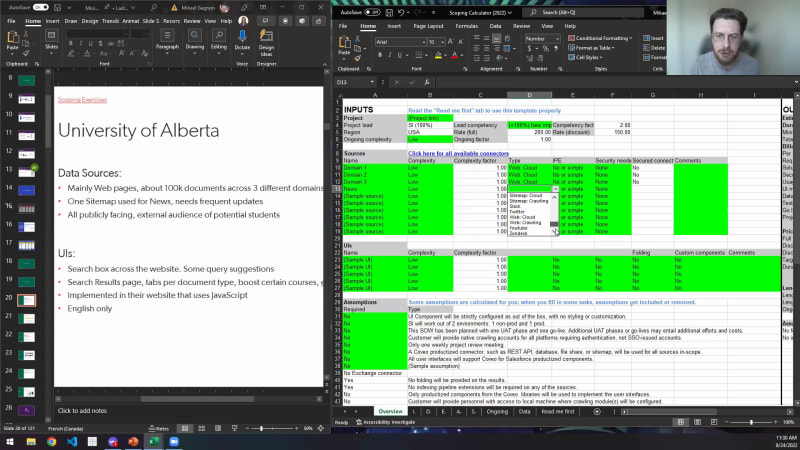
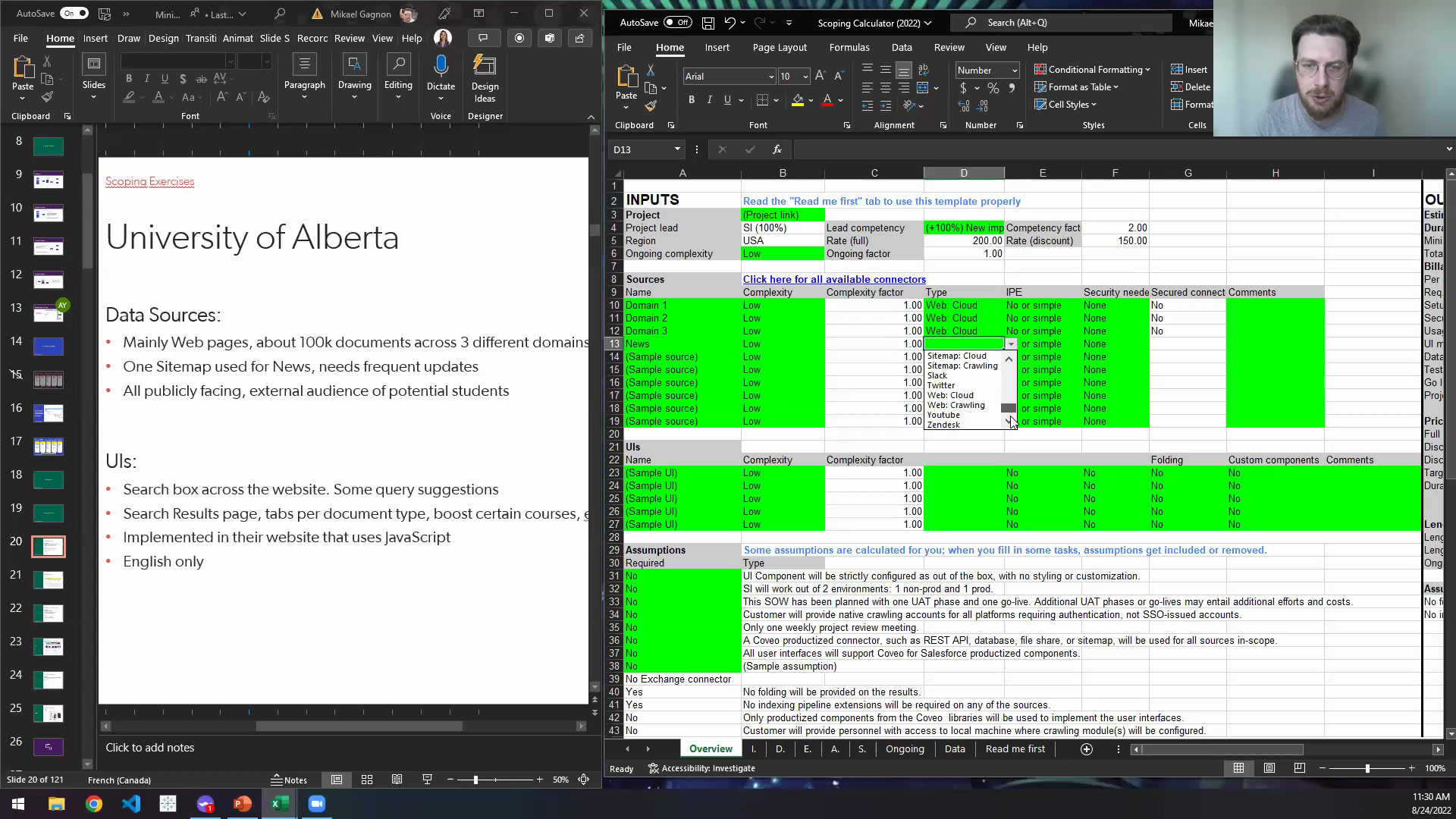
Hello, everyone, and welcome. And welcome back if you were with us last week. My name is Mark Handrin, and I lead the global channel alliances team here at Coveo. Really excited about this session today. Today is the second of our three part miniseries, during which you're gonna learn about, solution scoping, from one of the best at Coveo. And let me get right into it. We have a lot of content to cover today. So I'd like to introduce the star of the hour, Mikhail Gagnon. How did I do on your last name, Mikhail? That that felt good. That felt good. So if you don't know Mikhail, he is partner solution architect within the channel alliances team. He heads up, partner enablement, and we, you know, we we couldn't scale without his capabilities. He's been with Coveo for four years. And throughout his tenure, he's been involved with over two hundred customer and partner, go lives and post go lives. So there's no way more skilled to share his knowledge and insights with you for the next fifty five minutes. So with that, Miguel, I will turn it over to you. Alright. Thanks a lot, Mark. I can definitely see that there was a lot of hype for this solutions opening workshop. Expectations are pretty high, so, hopefully, this covers everything. So we'll we'll get started because I know that we've got a pretty full hour, in front of us. One thing here to note before we start, we're a public company. We do have a disclaimer here, so this is all, you know, to make sure that you do not share any of the private information here that you are privy to. So let's go. The objectives here of this, scoping webinar is to put together an ideal and accurate product timeline for Coveo, all use cases combined. So whether it would be commerce service or platform, this is going to be covered today. We're going to identify the number and type of resources that will be needed for this project. We'll be able to estimate total revenue generation per project. Sounds pretty good. And then leverage partner design scoping tools that will be made available to you over the course of this presentation. So on the agenda today, audience is the first step. Who's this workshop for? We'll go over a Coveo overview, what our structure actually looks like, an overview of our tech stack and its moving parts. We'll go afterwards into the ideas methodology, and this is the method that we use internally to scope our projects and then follow them along in terms of project management. I'll introduce you to a few nice new scoping tools, and we'll do a couple of practical exercises together. We'll end this all with a q and a session. So if you have any questions over the course of this presentation, please make sure to write them down in the in the q and a panel. I'll be able to answer them by the end of this session. So alright. Let's get started. Audience. So the audience for this presentation, basically, as you can see here, a little bit of everybody, from partner managers or alliance managers, account execs, project managers, solution architects. I think, you know, this this presentation, but also the tool can be helpful If you're not the ones that are going to put their hands into scoping tools, then at least having a good overview of how it actually works is going to be helpful whenever you're coming up to a customer for a potential deal. In terms of the tool in itself, again, a little bit of everybody, I've, bolded solution architects because to in my mind and in in what, we use internally at Coveo within the professional services team, Solution architects are mainly responsible for scoping. So we'll go over a little bit of the Coveo architecture. For those that are not necessarily very experienced with Coveo, I think it'll open up a couple of, it'll open up your mind on our architecture and help you see a bit more about what is the scope of a Coveo project. It has three big moving parts. The first one being on the left here is, the customer's data, whether it be websites, applications, them, a PIM, sources of content, a community. These are all data points that Coveo needs to capture. We do this through connectors, and all of the connectors eventually get the information, the data, the documents into Coveo's index. So this is part of the Coveo organization. First part, the data from the customer's website. Second part, I'll skip the mid one here. You'll you'll see why. The one on the complete right here, the Kavio integrations and the search pages. Right? That's another big moving part, very important as well. And we have a lot of questions about how the customer stack is set up in order to implement Caveo. So this one here is super important. How many search pages, recommendation models, maybe, search Barca, where are we actually implementing? Plenty of questions. And I'm stealing my own thunder here, but we'll get back to these questions. The architecture here in the middle is the Coveo cloud org. So this is where we have document data stored in the index. Right? We have query pipelines, which modify, the queries that customers are sending through the search box or the search pages. Right? Think of query pipelines a little bit like highways. They're all different. You can split the requests into different query pipelines, and, individually, they can have different business rules, machine learning, models attributed to them. So this is where you'll have a bit more tweaking, on these different highways. Of course, all of machine learning here, being fed by usage analytics, which is also a part of the the, Coveo product and one that should not be underestimated. So lots of moving pieces, but for sure, three big main part points, the data sources on the left, the integration on the right, and the Coveo org in the middle. Whenever we're scoping projects, there's a lot of questions you might ask yourself, and there's a lot of questions you might ask your client. It is extremely important to have as much information about this as possible because, this will enable you to do a proper scoping, estimate. So some of the questions here might be about how many data points do you have? Where's your data located? Right? How many documents are actually do they have? Right? It is very different to index ten web page than a million community posts. So one thing to keep in mind, we have Kaveo connectors for those different environments. Is it something you'll have to build on your own? What about security? So do we index permissions? How security works? Is it by source or by user, by search interface? Plenty of questions. The overall complexity of fetching the information, sometimes you're gonna be stuck in a situation where the customer's data is on a very old server on prem behind firewalls in their backroom. Might be more difficult to get the information from there. So something to think about here, calling modules. These kind of solutions can definitely be help, but it needs to be scoped. It needs to be understood before you start your project. In terms of commerce here, few things I've added because it is slightly different. So commerce, we need to index product availability or store region. These would change the complexity of the implementation. And in b two b, do we actually have entitlements by store? So different companies get different pricing models. These are all questions that need to be answered. Second step after the data sources here would be the UI. So on the UI side, right, on the right side, what's the target platform? Right? Salesforce, Sitecore, SAP, among others. What's the intended package that you are going to use for the Coveo product? We do have the JavaScript UI framework, which is our oldest and more mature, framework. We also have Atomic, Headless, Quantic, which are based on on the Headless, level of of of the framework and library, and then API level if you want to complicate things a bit. So depending on the intended package, scoping will differ as well. One other thing here is, is this an actual new setup, or is it actually an update to an existing one? Are there mock ups available? Is there something you can base yourself on, or is the customer actually requesting that you copy what they currently have? It will change again a little bit about the setup. Different types of users, so whether it be, people that are logged in versus people that publicly access your website, they might be privy to different document tiers, and then KCS being used here very much service focused. Are we looking at, knowledge centered services as a, in your integration? Integration requirements here at the bottom, number of pages and headers, different components. Right? If hosted in Salesforce, Visualforce or Lightning, maybe LWR. Right? Lightning Web run run time. So it could be different here. And then commerce, our prices currently managed and displayed. So little bit of questioning here depending on the different use cases that will, point you towards, the right solution for the customer and how complex it might be. Third one here is the architecture. We've talked about how many pipelines. Right? The highways, thesaurus rules, ranking rules, boost and bury. How many rules do we actually need from the customer side? Which machine learning models are we actually gonna use? There's plenty of them. They're all very different. They all need to be configured. How many do we actually need for this setup? How about usage analytics? Are we doing a lot of, custom dimensions? Are we adding a lot of custom events to when we're logging or tracking our users? Are we only using the Coveo default, search, click, etcetera events? And then reporting, how are we gonna build up reporting for the customer to see their return on investment of having Taveo within their, implementation. So plenty of questions. Of course, I think one of the first things that needed to be done here really is a questions template. So this is a tool that is available to you. You will, have a link, shared with you, at the end of this, presentation where it basically is a questionnaire of all the different things we need to have and capture whenever we're scoping a project. This is something we use internally within our professional services team, and it covers a wide variety of all the different use cases that we have. So definitely something to keep in mind. If you're not using this one, at least keep in mind a couple of these questions. They are useful, and none of them there is, is is, optional in a certain way. All these questions need to be answered in order to properly scope. Okay. I'll take a, five second break here just to get a sip of water. Good. Ideas methodology. Now this one's important. It might not be important right now, but you'll see where I'm going with this, and you'll understand a bit more. Since the internal tools that we have are built within our professional services team, they are using this methodology, and, it is tailored towards this one. If you use a different methodology for your project management, of course, you can tweak it. But still, I think that the tool and the estimates that are given are very well explained so that you can leverage it for your own needs. The ideas methodology revolves in pretty much five steps. The first one being to initiate the project scope, so scoping calls, kickoffs, these kind of things. Define the configuration here with the deep. So this one here, more about how many data sources, how are we actually gonna get there. Do we need accounts to log in to the customer's servers to fetch the information. This is all in the defined state. Execute the implementation, which is probably the biggest one here. So actually implementing Covell. Appraisal test being the fourth one here, which is more about the QA, making sure everything's fine for go live, and eventually get to that go live. We'll then have go live not the end, though, success and review. So make sure that, you know, you are reviewing your implementation to see what went well, what might be improved next time, and making sure that the customer, once they get their keys right, they are satisfied. So all the five steps here that are calculated within our within our scoping tool. You can also see here at the top of this diagram, twelve to sixteen weeks. This is, pretty much, how projects go for us depending on the amount of people that are working on the project. More on that when I display the, scoping tool. Little bit more information here if you are curious as to how we use the methodology. Lots of bullet points here. I'm not gonna go through this. It is publicly available, though, in our documentation here, and so you can take a look into it if you are curious. What I find very interesting about the document itself is we did, give ballpark numbers for how much percentage of time should be attributed to each of them. So the initiate phase normally accounts for x percentage of the projects full. These are all things that have been noted down in the documentation. So, pretty nice to take a look into it for sure. Alright. Scoping tool, the moment we've been waiting for. So this scoping tool here, I will present to you in a minute. There's a few things I wanted to talk to you about just to make sure that we're standing on common ground. So think of it as a secondary, disclaimer. Scoping, as you know, and estimates are estimates. The numbers that have been used and that we're supplying within the scoping tool are numbers that our own professional services team, are using, and have been using for a few, few hundred implementations, whether it be, partner led or even just in the house. So there's a lot of information in here. Of course, it is a very flexible tool, which means that the numbers that you might have, are proper to how you've scoped the project. I will try my best to help you out with scoping, answering questions in the q and a panel, these kind of things. But for sure, if you have any questions about your scope or you're not sure, it's a big project, are you really gonna spend five hundred hours, maybe a thousand hours on the implementation? You can reach out to us and we'll review your scoping documentation with you to make sure that we're at least standing, you know, on on a good solid estimate, before we actually send this over to the customer. So I'm not a floating scoping to you and your teams. It's more about I wanna offer you some insight into what we use in house. If it helps you make estimates faster for your customers, then good. That's what we want. If you are unsure, we're still available. Second thing here, the scoping tool is for the Coveo product. We do not in house help out all that much with styling, so styling is also out of the question. And that's pretty much the disclaimer I had for you before showing you the scoping tool. So alright. Let's get into it. I wanna show you what, has been built. This is a scoping calculator, and this is going to be available at the end of this session for you to download from our partner community. You should be able from this to make a copy whenever you have a new project and then use this as a template. Or just, you know, out of curiosity, you can tinker around and tweak. You'll see that we have a couple exercises coming up soon that, we'll be able to leverage this tool together. Few things here to note. Before we start, there's a ReadMe First tab here that I wanna go through. It talks about first steps and then how to use the builder, what the color codes actually are, and, what you should do first before, moving any further. First step here that I've noted down is to go into the data tab and adjust pricing to your rates. So it does handle pricing in a variety of different currencies here. And just for testing purposes, I'll just enter some values to see, how it actually works. And these values are not necessarily what professional services uses, but I just want to demo a little bit about, what it actually changes. So added my pricing, US, Canadian dollar. We're good to go. Back to the overview here, this tool now. As you can see here on the left side, there's a lot of green cells. These green cells are cells you can modify freely, and that's where you'll enter a lot of information coming from your, your customer scoping. Right? And all the questions that you asked before going through the calculator. A few there, that are really noteworthy are, the lead competency on, your team. So, various choices here between you Barca Caveo or equivalent in terms of competency. You've done thirty plus implementations. You know your way around the product. That's good. Use these. You want a safer equivalent? There's a small boost of twenty five percent. It's a new u k a new use case for maybe an experience implementer. Maybe you've done, ten different, Sitecore implementations, but you're dabbing into commerce now, which is a new space for you. Maybe it should be good to give yourself a little boost in terms of hours. And then new implementer, this is your first project. I'd like to welcome you to the team. Glad to have you here. I think it's a good place to be when it comes to a scoping webinar. But definitely here, you know, be pretty lenient with, the kind of boost that you're adding to the the output of ours. Alright. Good. Second part here, sources. Right? So different data sources. We'll do a couple of exercises together, but this is where you'd have different types of connectors. Right? Maybe, you know, the customer said they have a site map that they're adding. Oh, well, you know, the there's a there's a site map here, and, let's say, it's cloud based. Good. It automatically adjusted the numbers here on the right side. So pretty useful, for sure. And then we can maybe add a few things here in terms of complexity. Is it actually hard to get that information from the site map? Do we need to go through a couple firewalls? No. That's good. Leave it on low. If you wanna put it on medium, you put it on medium. Right? And it automatically adjusts the numbers on the outputs here. IPE, so indexing pipeline extensions, is there some rewriting of fields, or is it is it more of a complex implementation? This is taken into account. Security needed. Maybe there's security to get there, or, we need to handle permissions on those site map documents. I hope not. But, if if it is, this is something that you could do. Right? So lots of moving pieces, all the different data sources. We'll go through those within a couple of exercises. But before we get there, I wanna explain a bit more about the tool. And so I'll jump into the next session here, which is the UI. Right? So UI, same thing here. You have a search box. You might have a search page depending on the complexity of what they actually want. And then, which kind of type are they going for? Are we using a JavaScript UI? Are we using Headless or Quantic? Depending on the use case and which tool you are using, it will differ. So let's say for this one here, we're using the GSUI and we're going for a platform search. Right? We'll use no indexing pipeline, no security really, no folding, no custom components. So bare bone project really. Right? And then, that's all from the customer's perspective, which is good assumptions here. So we do have assumptions that can be copied over to the output if you wanna make sure that you are getting all the right information in your SOW to the customer. Right? So lots of moving pieces. Let me just see here. Let's say I switch over to, Canada. It should calculate the price right, but it does not, so I'll figure it out, here on this side. But you can definitely see here, that the total amount of hours does change depending on the minimum billable hours of, let's say, you're a Coveo or equivalent level or a new implementer. You can definitely see if a couple of numbers there that can be adjusted. So really nice tool to get an estimate of how much hours a project should normally take. If you're curious about this slide here, right, you'll see that, and that's the reason why I showed the methodology. The hours are actually split between the five different steps. Right? So initiate, define, define sorry. Execute, appraise, and success. They're all written there, and they're all already split up. If you're curious as to, these numbers, right, you can see that there's tabs also at the bottom that explain the steps that we need to go through. So this is all prebuilt. Right? You don't have to tweak around this unless you see changes within your org or the way that you are structured. Maybe there's a certain step that you do not offer your customers. So feel free to modify this, of course. But built in is, what we use in house. So lots of different steps. Everything here that is grayed out is something that will not be necessary from what we've selected, but everything else here, as you can see, is, is available. So really, really flexible tool here in terms of all the different tabs. I'm not gonna go through all of them. I'm pretty sure you do a better job of exploring this yourself if you download this from our partner community after this session. And I will work on fixing the amount of hours because, normally, we would have pricing be be available here. So one thing to for me to work on, which is fine. It shouldn't be too long. I'll work on this after this session, and I'll be reuploading a newer version of the scoping calculator with price that actually works. So alright. That's a lot of information in terms of the scoping calculator. I wanna run a couple exercises together just to see what works. Right? We'll we'll test this one out. For the purpose of this project, I'll assume we're new implementers. It will make a bit more sense, and we'll be able to see, ballpark from what we use in house, which would be the minimum billable hours to the total with the, system integrator factor. So the lead competency here or the ongoing complexity that can also be tweaked. So lots of things here, to tweak around. That's a bit of, the reasoning why I did have a disclaimer of saying, you know, you can tweak this to say a bit of everything in terms of hours. Use it to the best of your ability, but make sure you reach out to us if you're uncertain about how you've scoped with the, information that you were able to gather from your customer. I'll get back to the presentation, and we'll take a look at, a couple exercises. So this one here. Let's go back to it. So scoping tool is done. Scoping exercises. So the first one I wanna take a look into here is this one here. So exercise number one, University of Alberta. Their data sources as as written here. We've asked a couple questions beforehand, but they mainly have web pages about a hundred thousand documents across three different domains. They have a site map that they use for their news. It needs frequent updates, which is fine. It's all publicly facing external audience of potential students, so no need to handle permissions on that part. It's pretty simple project from what it looks like, which is good. Right? It's a good first exercise. On the UI side, they'd like to have a search box across the website. They'd like to have some query suggestions as well. Maybe a search result page. Right? And then tabs per document type. They have courses, but they also have, you know, all their their their teachers, their different locales and regions that they serve and cover and as well blog post and news. So they'd want to have different tabs for their search result page. They'd like to boost certain courses as well. And, in terms of the implementation in itself, it's on their website. It's built in, JavaScript, so we can use the JavaScript framework for it. And, in terms of languages, they only cover English, so we do not have to split up the query pipelines, to serve different languages. So with this, should be a pretty simple first exercise. We'll, we'll run it through here and take a look into it, see if we can there we go. I'll just do this one here, and, of course, it went into my second screen. Give me a little second here. There we go. And Barca up. Okay. Good. Sorry about that. Resizing, not the best. I'll need to work on my resizing name. So University of Alberta, we'll get back to it. This is the calculator that we have. So we got plenty of information here. They did mention mainly web pages. We have a web connector that we can use, so that's good. Ten thousand documents doesn't seem like it would be a big issue for, Coveo. So what I'll do here is I'll say domain one, and then a typo, of course, domain two, and then domain three. They probably have names, but it's not part of the exercise. The more information you put in here, the better it is for you because you'll be able to go back to it and understand a bit more about what you've actually scope. So we'll go into web. It's all web cloud. So we'll just do this here for all three different web sources. Right? And they did say that they had a site map for news. This one's named. Good. So news, and then we'll just go over here and do a site map. In terms of, the rest here, complexity, doesn't look like it's very complex. It could be different. They did say that the news, they need frequent updates. So maybe, for the sake of it, I'll put this one at medium complexity. Right? Still nothing here in terms of security, so we're good to go. In terms of UI, they did mention that they'd love to have a search box and then a search page. Both of them built in, JavaScript because that's what their website is, using. So we'll use this GSUI platform search for both. It did say that in the search box, they'd like some query suggestions, so I'll move the complexity to medium. We got a little bit a little bit of tinkering to deal with this, search page here. They wanted the individual tabs, boost certain courses, so might be a bit more rules, a bit more complexity here. So I'll use high for this one for the sake of it. And then English only, which means I do not need to do a lot of complex, query pipelines. Let's take a look on the right side. I'd be curious to know how many hours do you think this would gonna is this is gonna take. I wonder. We'll look. Alright. In terms of hours, and as mentioned here, the pricing, I'll I'll I'll fix it. I must have broken something. Of course, the live presentations of new tools. Right? Some people here must have been, you know, demo engineers and maybe another live or are things happen. So, interesting thing here is the amount of hours. As you can see here, it ramps up pretty quickly. Of course, there's some leeway in that. I did mention that this was a new implementer that doesn't know anything about Kaveo, which means that outside of these hours is probably a lot of training hours. Right? There's probably a lot of training that you haven't gone through yet. You're a new implementer. Maybe when it comes to implementing a search box, you're gonna have to search through documentation. You're gonna have to do a little bit more research. So I think it makes sense in a certain way. It might be a bit overkill in a certain way, but I'd much rather be safer than sorry when it comes to an estimate. So we can definitely see, you know, this project. Okay. Minimum billable is still pretty long, and we can take a look into individual tabs to see, you know, execute is a hundred and ten hours. Where is that actually used? Well, it's all written here, and you can take, you know, you can take your time and and look into this, basic setup for GSUI. As you can see here, we are estimating, you know, a certain a certain amount of, of hours for it. So pretty flexible tool. I'm pretty sure you guys are gonna be happy about it, and I'm glad to share it with you. You'll be able to also see that from the number of hours, there's also a recommendation here as to, the project length. Right? What we'd actually recommend here is between fourteen and fifteen, weeks depending on how many people are actually working on this, of course. But the project of close to six hundred hours, something below fourteen weeks would require a pretty big team. And big team doesn't necessarily mean going faster because some of these steps here, have to be sequentially made. Right? You need to have your data before you show the UI. You need to configure the pipelines and machine learning models in order to get relevant results, return in your search implementation. So you can't necessarily build everything at the same time to try and save, on on the weeks of implementation. What does it actually look like? We'll take a look here. Go back to presenter. Alright. Oh, University of Alberta. Nice. Here's their actual page. Right? Search results here, facets on the side, minimal styling, super good. I like the individual tabs that they have. I like it. That's a good exercise. We've done well. It probably took more than, the hours on the scoping, document, but that's, yeah, that's that's another story. It's it's a bigger project than than the exercise in itself. Alright. Next one here. Speedbit. Perfect smartwatch. Speedbit our customer. They do have Coros public community posts, YouTube videos. Nice. Always good if you want to have some explanation of how to use the product or troubleshoot. Web pages in two different domains, that contain instruction PDFs, so pretty good. They do, have a a product in itself or multiple products, so they'd have manuals that make sense. And then there's Salesforce content for authenticated users only. So maybe if you're, an an internal user, the search results do return maybe knowledge articles that might be internal only or, maybe support cases, etcetera could be very, very widely used. So lots of different uses here in terms of different data sources. It'll be a bit more complex. Right? You know, it'll be good, though. I I think it should be a good exercise for the team. Next one here, UI. So they want a search box across the community, some query suggestions. That's good. We've scoped that already. Right? We know this. Search results page, multiple tabs, facets, boosted results. Again, similar to what we've done. We should be good on this one. Three recommendation panels on the front page. So maybe they want some some different recommendation models for this one. Could be good. Alright. It's, to be implemented in their Salesforce community. Small change. Right? So we'll have to tweak around a couple of things in our scoping tool. And then English only. So we are fortunate that we do not have the level of complexity of supporting, multiple languages. You know the drill, so go back to the scoping calculator here, and we'll, do a few things. We'll, put this back on low, delete all four of those. Same thing here. What I'd actually recommend also, is to instead of doing what I do right now, which technically would be wrong, I'd probably save it, and I'd go back from the template to make sure that nothing's been tampered with whenever you're doing your second project. Right? So start from a template makes a lot more sense. And there are things in this tool that while they are getting added automatically, some are not getting, subtracted, as, as automatic as it might seem. So, one thing to keep in mind. Right? Use it from scratch. Keep a copy of your of it within your system, and you should be good. So second project here, Speedbit. We did talk about a Chorus community. So Chorus community here. We'll go and type. Do we have a Coros? Yeah. We have Coros. Nice. You'll also have information here as to is it actually a secured connector or not, which is pretty interesting. Of course, if, you know, we use a Salesforce, it has built in security. So that's that's good. If you were to put, let's say, Chorus and ask for, security, as you can see here, it's in red. This is not valid because, it does not offer out of the box security. You could build custom. I wouldn't recommend it, but still, that's also a possibility. So Chorus posts here, low complexity. It's community. We'll see how it goes. Second one here is YouTube videos. Again, we'll just use a YouTube source for this one. We have two domains of different web pages. So web one and then web two. We'll go with these. As you can see, what I find pretty interesting from having a tool like this one in hand is and that's something we do whenever we get questions from, from partners. Right? So target audience. Hello? Whenever we're having calls, right, and and we're trying to build a a a scope of a project. I mean, you can have this on your second screen, right, and try and calculate what kind of information you need from the customer. Always very helpful to spin up something within minutes. It might not be, you know, very detailed and complex, but for sure, it gives you a good ballpark idea of the length and scope of a project. So still a very, very good tool to have in hand. Last one here, Salesforce content for authenticated users only. See, this one I'll use medium. We're lucky enough that our Salesforce connector, here, does, have out of the box security permissions in the in the connector that we use. So we'll be good with this one. That's nice. I'll still put in a medium complexity. We never know what we're getting into. Big implementations. Maybe, you know, it's spaghetti behind the doors. So we'll we'll go with this here. For the UI, we'll go with, again, a search Barca, again, a search page. For this these ones here, They did mention it's in the Salesforce community, so we can use a, Salesforce, search. There we go. And then a Salesforce panel. And then they did mention three different recommendation panels on the front page. So rec one, rec two, and then rec three. Again, these ones will be panels instead of searches, so my bad on this one. It goes a lot nicer if you are doing this with your full screen, of course. Another Salesforce panel and another one here. So we do have our recommendation models we need to build. We have our search page that we have. We have our search box. There's multiple requests here. They're asking for query suggestions on the search box, which is fine. We'll then, have the results page. They want multiple tabs, multiple facets, and boosted results. So we'll, you know, we'll we'll slightly tweak this one here. No IPEs, security. We'll have, nothing here in terms of folding or security. It should be fine. We'll handle the security at the source level. So I think it it I think we're good. I think we're good. Customer's responsive. If you're dealing with a very hard customer that either are not knowledgeable or they're not sharing much, you know, you can just switch on the ongoing complexity here. You know that, some customers, maybe they answer once per month, might be a bit more difficult, to work with. So this is something we can take into consideration. It might come in handy for sure. So we'll go on the right side and take a look at this project here, see, how long this one should take. Yeah. No longer. Right? It's a longer, bigger project. We have recommendation models here. We have Salesforce content. So, yeah. I'd say that the, number of hours here for this project is a lot higher. I wouldn't say a lot, but it's still a bigger project. We could see it in a certain way from the different data sources and then from the different UIs, but you never know how much it actually changed. So, using a tool like this one can be really handy. As you can see, we've done a generic website, which is, using our, Cameo platform, which is the University of Alberta. Now we're doing Speedbit. There's a bit of maybe service. There's a bit of Salesforce in it. It's a community. So you can see that this tool can be used to different use cases for sure. So this one here, okay. Couple more hours. Yeah. We're scoping for longer here in terms of weeks for this project. So, should be good. It's good information. It was a nice project. And once the project goes live, what does this actually look like? Done. Nice. So Speedbit. As you can see here, Salesforce community. You have a search box up top. Nice stuff. Recommendations here. People also viewed. Question people are asking about the community. Nice. It worked well. Good. On to the next one and, the last one. I wanted to do one for each use case, one for platform, one for service, one for commerce, just to show the flexibility in the tool. So this one here, the closet, which is a fashion store. Right? They do have products, about twenty k stored in an in house, product in the information management system. They have their own PIM. Could be curious. Maybe we'll have to go add it through we do have a stream API or a push API source, so we could use both. We'll take a look into that. Separate stores data, that contains availability. Okay. Maybe this one here could be pushed, could be good, and then it's all publicly facing. So at least we do not have to handle permissions. That's good. In terms of UI here, okay, we have a search box across the website per suggestion. Again, we're not, we're no strangers to having a search box in the search results page. So search results page, complex ranking rules. We want machine learning model configuration in there. We wanna give it the maximum that we can in terms of the search results page. Good. We can do that. Two recommendation models. They want similar products and then Barca rec cart complementors, cart recommenders. So good stuff. Okay. They have a request to implement only using headless. So, okay, might be good, might be a good request, but we'll be very flexible, very custom. That's good. And then English only, so, again, only one language. If you were to have multiple languages, right, that might be a question you have. In terms of scoping the in the, individual pages, depending on your situation, you might want to split your documents in different sources. Right? So you'd have a web, web, sore data source for English or web English, web French for the French version, let's say, or Spanish, third one. So, could be really in the data sources that you put it in, and then it will automatically, calculate, you know, the different query pipelines, these kind of things. So very useful tool. Alright. Let's go and build this one here. It's the last one. We'll make it we'll make it good. So I'll go back here and change a few things to reset it. There we go. Alright. Good. I'll I'll I'll keep these ones. Products. Okay. They use a PIM. We'll use, we have a catalog, source, so we'll use a catalog for products. Here we go. We're not too sure about what we're receiving here in terms of the catalog, so we'll say it has high complexity. Let's say very high. We wanna be you know, we're not too sure. The customer is not too sure. We'll probably have to rearrange the structure that we're getting pushed. It's a lot of manual work. It might be it might be more difficult, so we'll make it, you know, a bit more flexible on that. If it takes less time, good. But if it takes more, at least we'll be covered. Stores. So stores, maybe for this one, we'll use a push source. So let's go for this one here. Push source. Should be good. Then again, we're not too sure what we're receiving. We'll just put this one. Alright. But that's all the information that we need for these, for the data sources for commerce. Good. Alright. In terms of UI, right, we have the search box across the website, some query, suggestions. So fine on this one. We'll leave it at low. We could boost it to medium. Really is up to, how you're scoping things. It might it's my first time, you know, working on commerce, so maybe I'll I'll I'll put in an extra twenty percent here to make sure I'm fine. Search page in itself, complex ranking rules. They want, you know, the whole offering. I'll go with very high. And then recommendation models, I will just go with medium, and we should be good to go. We'll use it's all headless. Right? That's what they were asking. So we'll use headless, atomic. So this is good. Headless atomic. And, again, the same thing here for the, recommendation models. Technically, could be removed and just added as extra weight here in the, ones on top. But, let's go with this here. Right? We'll be able to scope the project. And as you can see here, oh, bigger project for sure. It has less sources, and then the recommendations, we were, you know, we were pretty hard on these ones here. Let's say, you know, we'll go back to low, because we're not sure, but it shouldn't be too complicated. This one, we'll leave it medium. There we go. Oh, well, we've shaved about two hundred hours, but, or a hundred more or less. It's still very high. Why is it high like that? Well, we can take a look into it for sure and understand a bit more. But, definitely, we have some complexity in, using different, connectors. Right? So for our sources here, catalog and push is a lot of manual work. There's a lot of configuration that you need to do on your end. It is longer to implement for sure, and so these are all taken into account when it comes to ranking weights, in the individual tabs. You'll be able to take a look into it for sure and understand a bit more about where time is actually spent in there. But I wanted to show you that, you know, it is not because it has a low amount of different sources that it's an easy project. And the number of stores, it could be fifteen stores. It could be two hundred stores. It will still take a lot of time to configure this and push it to Kavail. Same thing for products. Right? Of course, there's a difference between ten products and one million products. It will change scope. Right? But building these connectors is what takes time. It's the configuration and making sure that everything that's being sent is good. Same thing for the UI. Right? We're going headless. It means a lot of customization, which is nice because you can do whatever you want with it, but it might take a bit more time in terms of configuration. So few questions to ask yourself in terms of how custom do you wanna go, right, and which tools are you gonna use to, help yourself out with this project. So hopefully, you've answered a couple questions here in terms of the scoping exercise. Forgot about it here, but there we go. Wow. The closet fashion store. As you can see, it's working and fully within headless. Nice. This is, yeah, this is a demo environment that we have, but for sure, one very good demonstration of what, you know, we we can accomplish with this project. So wanted to share with you guys these three exercises. I'll fix my scoping calculator so I will be able to share it with the rest of the team. Basically, what's not working right now is the pricing. So I did adjust the pricing early on in the presentation. It did not seem to pick up the different prices, for the whole project, but it does handle it normally, which means that not only would you get estimate hours, but you'd also get the pricing here. And you can tailor around a little bit with your pricing model and your discounts to what your company actually, offers. So hope it was a good tool. Hope you liked it so far. We'll do a little q and a here. We still have some time. Let me take a look. We still have a couple minutes for sure. So I'll see if there's any answers here in the chat, in the q and a, and then, take a look into all of this. So There is one question, Mikhail. When you can you see it? I just wanna make sure you can see it. Yes. So I do have a question here. Does source type contain all the different types? Can custom source type, be added? Yes. And then how, complexity factor billing will be calculated? Do we need to get in touch with Coveo? I think if you're into, uncharted territory, we'll call it, definitely reach out to us. We'll make sure to build it with you. The tool, if I if I am not wrong, does have let me see here. I'll just, go full screen on this one. In terms of custom connectors, I do not believe that it is in here, but, custom connectors, very frequently, we're not gonna have to build new connectors for it. We can use some of our more generic ones. So we do have a link to all of the different connectors here. It opens up a page. Let me just see here if I can, show it to you. So we do have, there we go, a connector direct directory with all the different connectors that we have. So we do have plenty of different connectors for different infrastructures. Your question on custom, when it comes to custom, I'd actually use more of the, generic connectors. We do have a web connector that can connect to a website, a site map that can crawl information from a site map, generic rest API. So most, infrastructures, CMSs, have access to either site map generation or they can expose the REST API that we can connect and crawl to. So this is something that can be done. Same thing for database connector if you have a built in in house database. So we do have these connectors here. If you wanted to go very much custom here, we also have different offerings in our c sharp SDK, our push API that we've, demonstrated here in the in the commerce exercise. But, yeah, we do have a slew of different options for going custom, but for sure, if you're going into that that uncharted territory, if you're going wild in the jungle, make sure to reach out to us. We'll build that scoping, estimate with you to make sure that we're both going you know, are well informed on the project. So hopefully, it answered your question. Few more questions. That's good. Nice. People waited for the q and a session. I love it. Alright. I'll go back to the scoping calculator here. Second one is, Steve is asking, when you referenced headless custom UI, were you referring to the new Quantic framework? If not, does the tool factor in Quantic? Yes. Tool has headless. Atomic is system agnostic, but it's equivalent of Quantic. We do have a selection of headless Quantic in there that will modify the numbers as well. As you can see here, it modifies it. So if this was in Salesforce, let's say, we'll we'll take a look at the numbers here. The the numbers will change from Atomic to, Quantic. It will change the numbers down the road. So, you can take a look into this. Quantic and Atomic are supported as part of this. How would you scope out a global search in Salesforce? I'd probably go with a, a search box in the search page as I've mentioned here. The search box here, if we're going in Salesforce, we do have a couple of of, different categories here. We could go with headless Quantic if we're going LWR. Right? If we want to have the cream of the crop newest thing, then Quantic is how I'd actually build it. Otherwise, we do have Salesforce search and then, a Salesforce panel if you wanted to have more of a of a, like, a recommendation panel. So I'd use the Salesforce search here, to leverage search in Salesforce for a search box. Hope it answers your question, Neil. If not, make sure to write something down in the chat. Alright. Zach giving me props. That's good. Thanks, Zach. Hope you liked it. And then, Saravanan is asking a question. Does scoping tool cover high complex content preprocessing while indexing the content? Alright. That's a good question. Yes. We could. High very high complexity here for sure. Preprocessing, I'd say, IPE, so indexing pipeline expansion extensions. I'd use indexing. Those can be built, right, in Python. I'd use these ones. Yeah. For sure. So I'd say yes here to make sure. And then instead of you know, if it's not a catalog source because the catalog with an IP is still long, so it doesn't change much in terms of the output. But for any other source, it will act accordingly because building the indexing pipeline extensions in Python does take time and testing to make sure that, it is leveraging those kind of preprocessing, of metadata into the Cavill index. Other questions coming in? Alright. This is good. Do we still have time? Still have a couple minutes. That's good. Neil's asking a question here. You can't replace the global search box. We did a POC with adding a new Calvio search tab. So a bit different here in Salesforce depending on the template that you're using for your community. It is possible to drag and drop the Caveo search box. The global search box can be replaced to a custom component, but I haven't done that in a while, so I couldn't really really show you this here. We're going a bit too deep into a specific use case. The scoping calculator here is really made to encompass all different use cases. So we might get in touch, Neil, to discuss this together to make sure that we're, standing on common ground for it, and we have proper time to answer a question. Alright. Yeah. I think I've answered pretty much all the questions. Barca Vanan again. So content enrichment and all that. I'd use I'd use the IPs here, to make sure that we are capturing that information. And don't be afraid to bump up the complexity when you're dealing with complex status or rules or, there there's a lot of preprocessing going on. Alright. I'm sharing my screen here. Thanks for attending. It was good. Hope you liked it. Again, I'll post a message in the Slack community once the link is up for the scoping calculator later. Wanna make sure that you guys have a working version, but thanks a lot for being there, and thanks for suggesting a scoping webinar. Mark? Yeah. Good. Up to you. Super rich content, Mikhail. Great job. Thank you so much for, for participating. I think we'll probably be doing another one of these in the fall, just based on some of the comments I've gotten in Slack privately. So, so thank you. And just a reminder, next Wednesday, same time, same place, will be our third session where we'll cover our business value assessment. That's really designed to help improve the conversations you're having with your customer on this topic, and just tighten the joint value proposition generally. So hope to see you there, and thanks for attending today. Bye, everyone. Bye bye.